
Roblox Repair a Car Script - Auto Clean
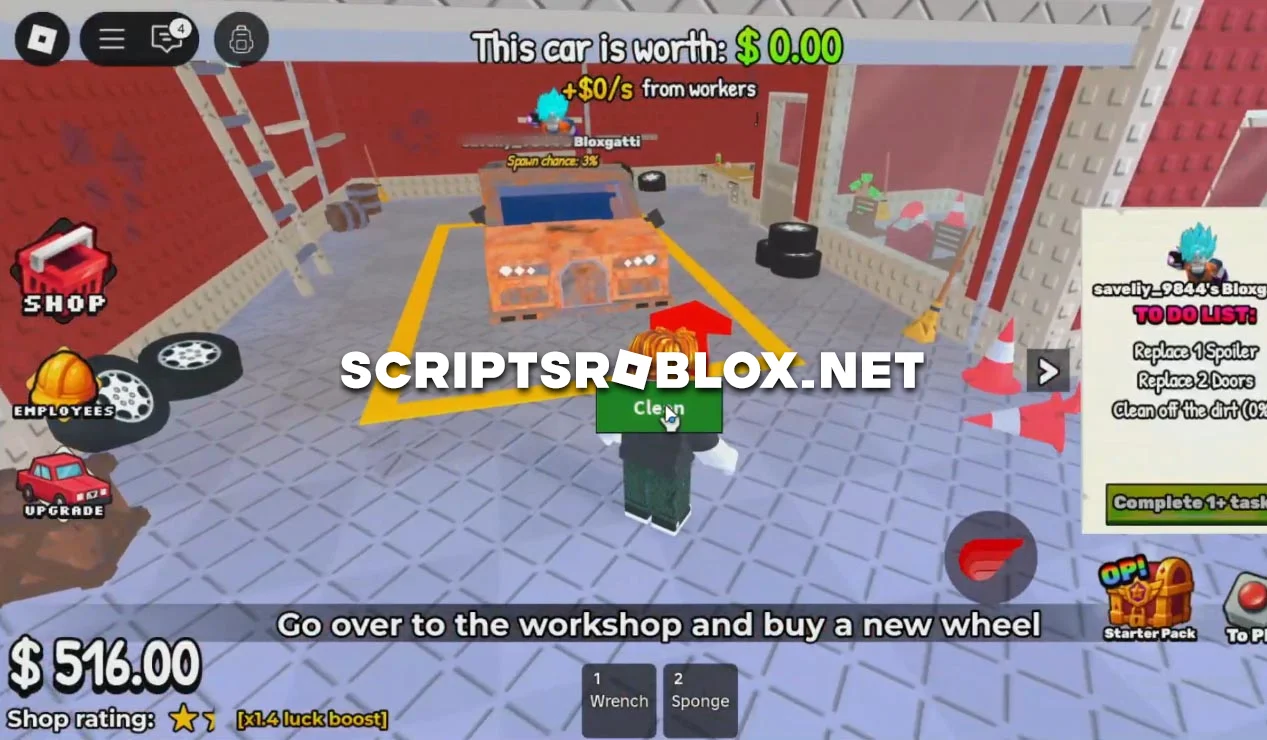
Fans of the Roblox game Repair a Car, we have developed a simple script for you to make gameplay easier. The script has one useful feature: Auto Clean. This feature automatically cleans the car of dirt and dust without the need to manually use tools. This not only speeds up the repair process, but also makes the game more comfortable, as all actions are performed with a single click. The script is adapted for the current versions of Roblox and, when used correctly, does not usually lead to account blocking. You can get it for free on this page.
💻 Script Code
local Players = game:GetService("Players")
local ReplicatedStorage = game:GetService("ReplicatedStorage")
local UserInputService = game:GetService("UserInputService")

local LocalPlayer = Players.LocalPlayer
local PlayerGui = LocalPlayer:WaitForChild("PlayerGui")

local screenGui = Instance.new("ScreenGui")
screenGui.Name = "CleanGui"
screenGui.ResetOnSpawn = false
screenGui.Parent = PlayerGui

local cleanButton = Instance.new("TextButton")
cleanButton.Name = "CleanButton"
cleanButton.Size = UDim2.new(0, 100, 0, 40)
cleanButton.Position = UDim2.new(0.5, -50, 0.5, -20)
cleanButton.BackgroundColor3 = Color3.fromRGB(50, 200, 50)
cleanButton.Text = "Clean"
cleanButton.TextColor3 = Color3.new(1, 1, 1)
cleanButton.Font = Enum.Font.SourceSansBold
cleanButton.TextSize = 20
cleanButton.Active = true
cleanButton.Selectable = true
cleanButton.Parent = screenGui

local dragging = false
local dragInput, dragStart, startPos

local function update(input)
	local delta = input.Position - dragStart
	cleanButton.Position = UDim2.new(startPos.X.Scale, startPos.X.Offset + delta.X, startPos.Y.Scale, startPos.Y.Offset + delta.Y)
end

cleanButton.InputBegan:Connect(function(input)
	if input.UserInputType == Enum.UserInputType.MouseButton1 then
		dragging = true
		dragStart = input.Position
		startPos = cleanButton.Position

		input.Changed:Connect(function()
			if input.UserInputState == Enum.UserInputState.End then
				dragging = false
			end
		end)
	end
end)

cleanButton.InputChanged:Connect(function(input)
	if input.UserInputType == Enum.UserInputType.MouseMovement then
		dragInput = input
	end
end)

UserInputService.InputChanged:Connect(function(input)
	if input == dragInput and dragging then
		update(input)
	end
end)

local function cleanCar()
	local Plot

	for _, v in pairs(workspace:WaitForChild("Plots"):GetChildren()) do
		pcall(function()
			local Config = v:FindFirstChild("PlotConfig")
			if Config then
				local Owner = Config:FindFirstChild("Owner")
				if Owner and tostring(Owner.Value) == tostring(LocalPlayer.Name) then
					Plot = v
				end
			end
		end)
		if Plot then break end
	end

	assert(Plot, "Failed to find Plot!")

	local netRoot
	pcall(function()
		netRoot = ReplicatedStorage:WaitForChild("Shared"):WaitForChild("RBXUtil"):WaitForChild("Net")
	end)

	local function safeFire(remoteName, arg)
		pcall(function()
			local rem = netRoot:WaitForChild(remoteName)
			rem:FireServer(arg)
		end)
	end

	pcall(function()
		local ActiveCar = Plot:WaitForChild("ActiveCar")
		assert(ActiveCar, "Failed to find ActiveCar!")

		local CarModel = ActiveCar:FindFirstChildWhichIsA("Model")
		assert(CarModel, "Failed to find car model!")

		for _, part in pairs(CarModel:GetDescendants()) do
			safeFire("URE/Fix Rust", part)
		end

		for _, v in pairs(CarModel:GetDescendants()) do
			if v.Name == "Dirt" then
				safeFire("URE/Wash Dirt", v)
			end
		end
	end)
end

cleanButton.MouseButton1Click:Connect(function()
	cleanCar()
end)
Supported Executors
You can execute this script using one of the supported Roblox executors below.
How to Use This Script
- Download and install a trusted executor.
- Open Roblox and join the game.
- Launch the executor on your Mobile Phone / Emulator.
- Paste the script code into the executor.
- Press Execute and enjoy the new features.
Tip: Always use trusted executors to avoid errors or bans.
Report
Comments 0