
Shrink For Brainrots Script - Instant Claim, Buy Size & More
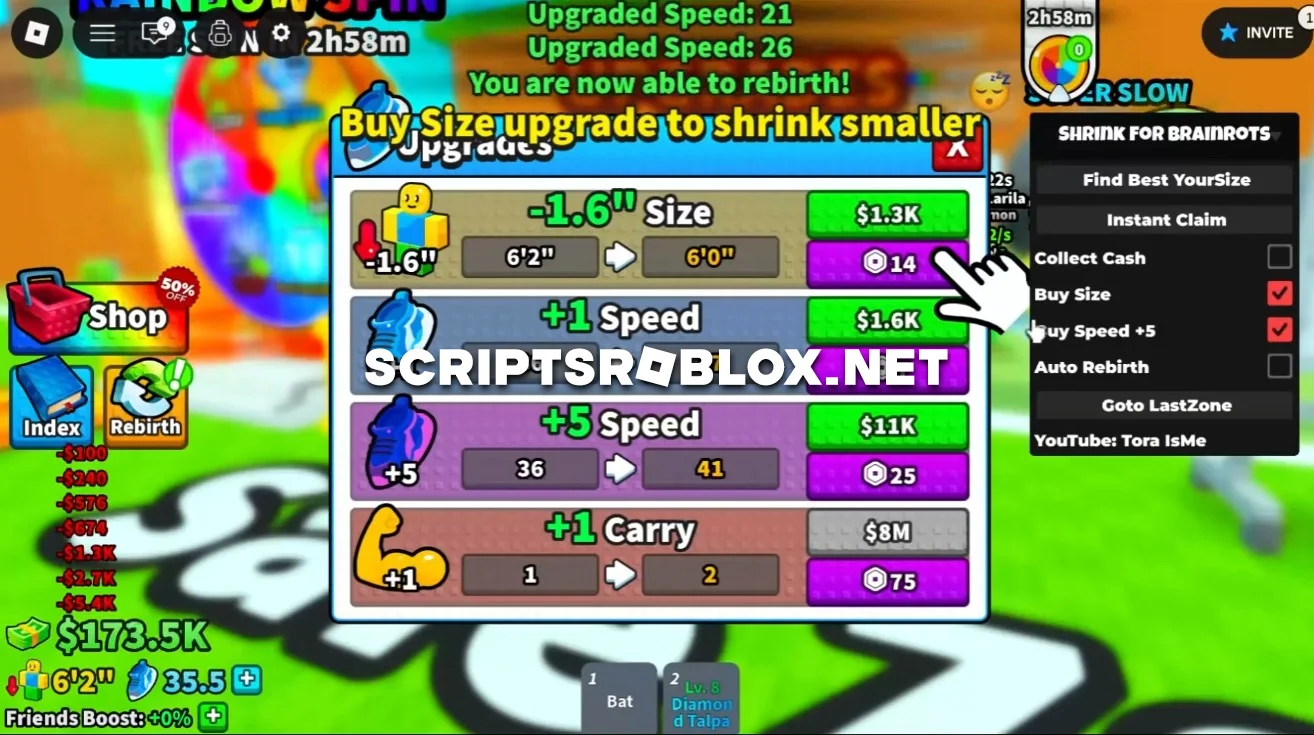
The best script available for the Roblox game Shrink For Brainrots is now out. It helps you increase your character's size faster and earn more currency, eliminating the need to constantly perform actions manually. It automatically selects the most profitable size, which helps you maximize your earnings and progress through the game more quickly. Money is collected non-stop, and upgrades are bought right away, making your character more powerful and effective with each passing moment. The script also increases your speed on its own, and with the ability to return to the last zone quickly, you don't have to waste time replaying levels you've already unlocked. The script doesn’t require an activation key and is safe to use; it will be the best helper for fans.
Shrink For Brainrots Script Features
- Find Best Your Size
- Instant Claim
- Collect Cash
- Buy Size
- Buy Speed
- Auto Rebirth
- Goto Last Zone
loadstring(game:HttpGet("https://raw.githubusercontent.com/gumanba/Scripts/main/ShrinkForBrainrots"))()Supported Executors
You can execute this script using one of the supported Roblox executors below.
How to Use This Script
- Download and install a trusted executor.
- Open Roblox and join the game.
- Launch the executor on your Mobile Phone / Emulator.
- Paste the script code into the executor.
- Press Execute and enjoy the new features.
Tip: Always use trusted executors to avoid errors or bans.
Comments 0