
Climb 2000 Stairs to VIP Obby Script: Teleports
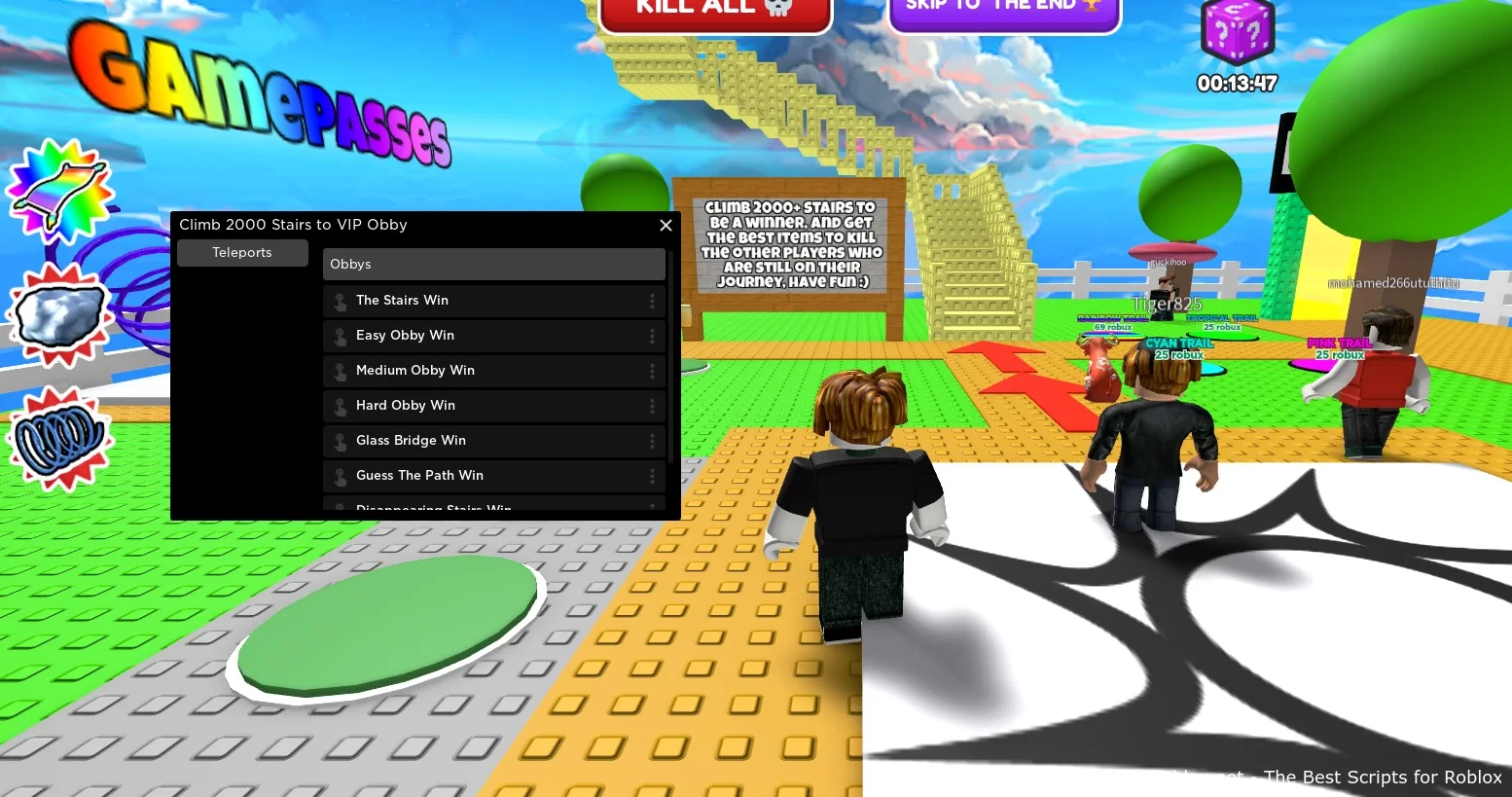
Pleased to present a working script for roblox game Climb 2000 Stairs to VIP Obby, its features help fans of this game teleport to different places on the map.
Functions:
- Teleports
- The Stairs Win
- Easy Obby Win
- Medium Obby Win
- Hard Obby Win
- Glass Bridge Win
- Guess The Path Win
💻 Script Code
local Library = loadstring(game:HttpGet("https://raw.githubusercontent.com/xHeptc/Kavo-UI-Library/main/source.lua"))()
local Window = Library.CreateLib("Climb 2000 Stairs to VIP Obby", "DarkTheme")

local home = Window:NewTab("Teleports")
local homeSection = home:NewSection("Obbys")

homeSection:NewButton("The Stairs Win","", function()
    game.Players.LocalPlayer.Character.HumanoidRootPart.CFrame = CFrame.new(-12, 2053, -6)
end)

homeSection:NewButton("Easy Obby Win","", function()
    game.Players.LocalPlayer.Character.HumanoidRootPart.CFrame = CFrame.new(902, -4, 102)
end)

homeSection:NewButton("Medium Obby Win","", function()
    game.Players.LocalPlayer.Character.HumanoidRootPart.CFrame = CFrame.new(952, -4, 198)
end)

homeSection:NewButton("Hard Obby Win","", function()
    game.Players.LocalPlayer.Character.HumanoidRootPart.CFrame = CFrame.new(958, -4, 273)
end)

homeSection:NewButton("Glass Bridge Win","", function()
    game.Players.LocalPlayer.Character.HumanoidRootPart.CFrame = CFrame.new(905, -4, 381)
end)

homeSection:NewButton("Guess The Path Win","", function()
    game.Players.LocalPlayer.Character.HumanoidRootPart.CFrame = CFrame.new(996, -4, 561)
end)

homeSection:NewButton("Disappearing Stairs Win","", function()
    game.Players.LocalPlayer.Character.HumanoidRootPart.CFrame = CFrame.new(1061, 265, 871)
end)

homeSection:NewButton("The Maze Win","", function()
    game.Players.LocalPlayer.Character.HumanoidRootPart.CFrame = CFrame.new(1134, 15, -84)
end)
Supported Executors
You can execute this script using one of the supported Roblox executors below.
How to Use This Script
- Download and install a trusted executor.
- Open Roblox and join the game.
- Launch the executor on your Mobile Phone / Emulator.
- Paste the script code into the executor.
- Press Execute and enjoy the new features.
Tip: Always use trusted executors to avoid errors or bans.
Report
Comments 0