
Grow a Garden 2 Script (No Key) - Auto Farm, Pet Finder, Collect
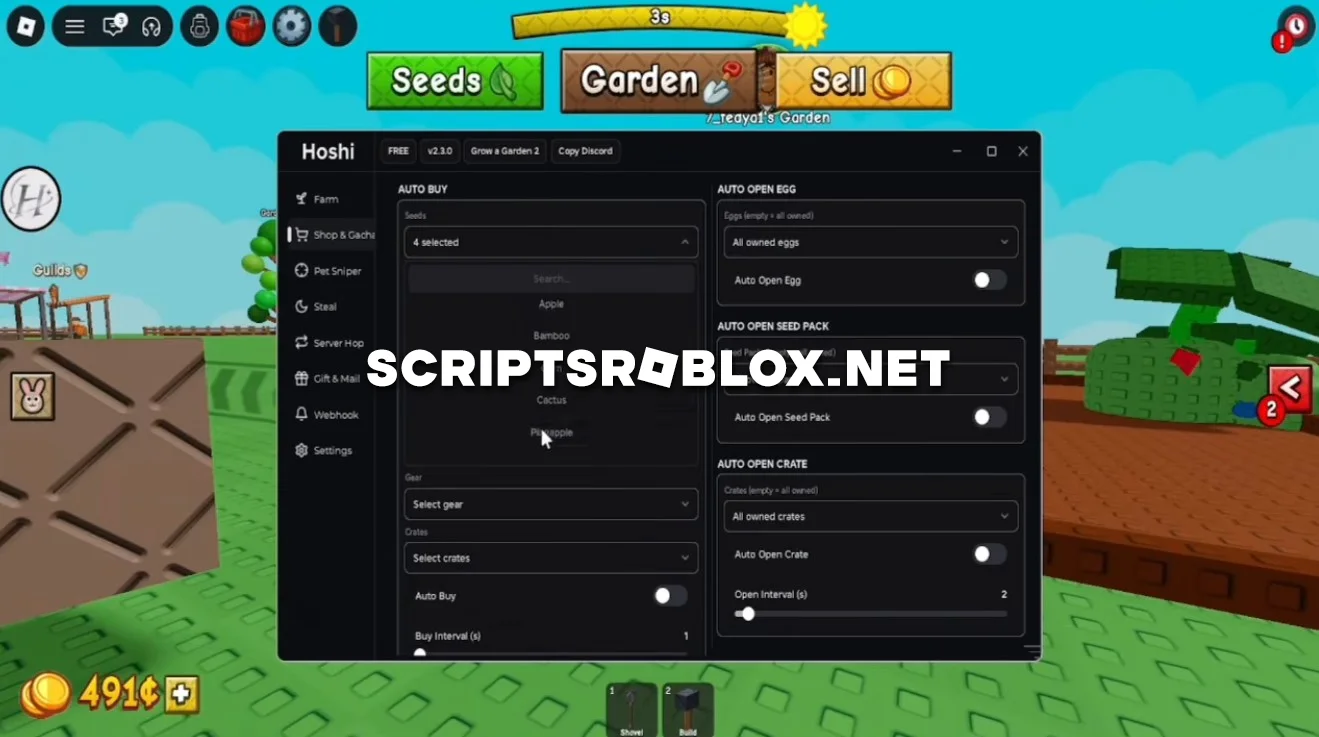
On this page, you’ll find another powerful script for Grow a Garden 2 that works flawlessly and doesn’t require an activation key.
Its GUI includes a vast array of features for automating your farm and helps you maximize your profits without any effort on your part. It can independently harvest crops, select seeds, sell grown crops, use a shovel, and perform many other actions necessary for developing your garden.
One of its key features is a flexible configuration system. You can choose which plants to harvest, work only with specific mutations, adjust harvest size, and prioritize the most expensive crops.
The script also includes features for automatic selling, purchasing items, searching for pets, stealing resources, switching servers, and other useful tools. We personally recommend that you try this script, as the author will continue to update it to further improve its functionality. You can copy this script below for free and start using it right away.
loadstring(game:HttpGet("https://raw.githubusercontent.com/Fluxyyy333/HoshiOnTop/main/loader.lua"))()Supported Executors
You can execute this script using one of the supported Roblox executors below.
How to Use This Script
- Download and install a trusted executor.
- Open Roblox and join the game.
- Launch the executor on your Mobile Phone / Emulator.
- Paste the script code into the executor.
- Press Execute and enjoy the new features.
Tip: Always use trusted executors to avoid errors or bans.
Comments 0