
2 PLAYER Evolution Tycoon Script - Steal Flag, Auto Tycoon & More
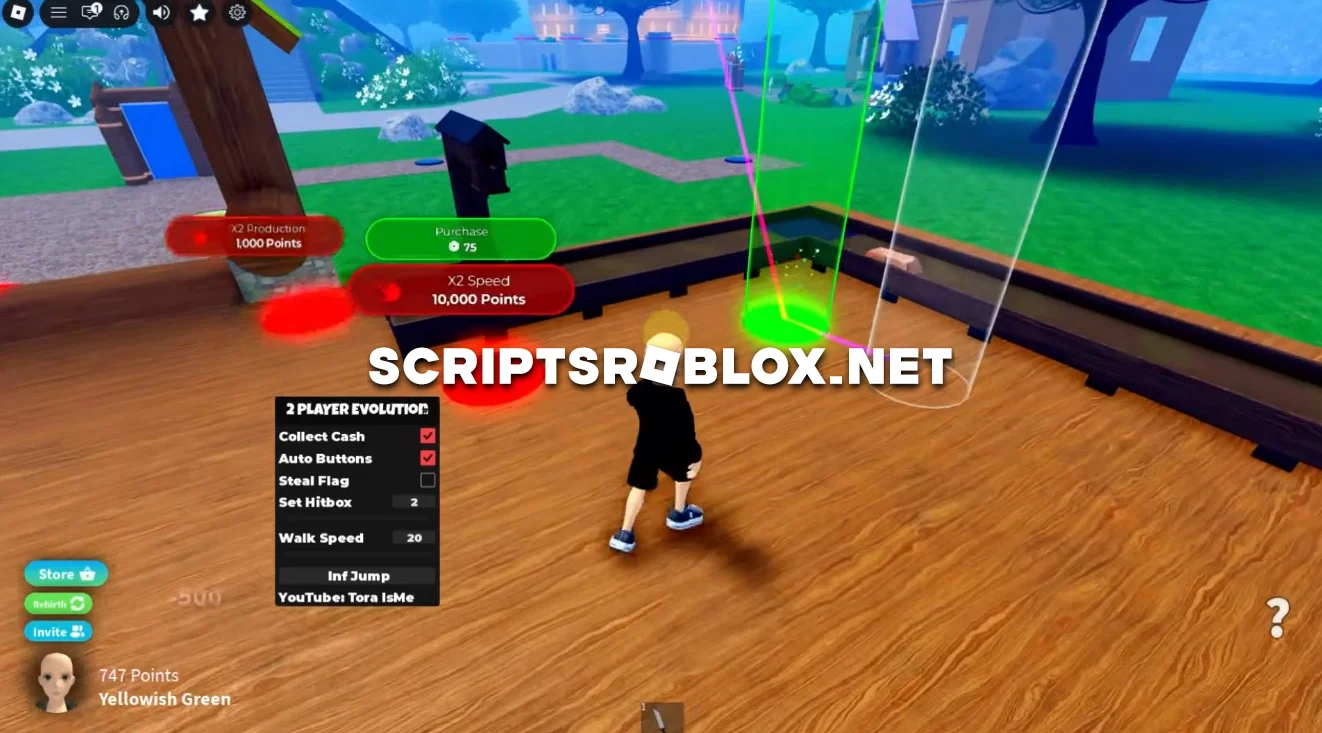
On this page, we’ll introduce you to the best free script for the Roblox game 2 PLAYER Evolution Tycoon by Tora Hub. It includes useful features such as Steal Flag, Auto Buttons, Collect Cash, Set Hitbox, Walk Speed, Infinite Jump, and more. The script helps automate your gameplay, collect money faster, and gives you additional advantages in movement and gameplay.
About 2 PLAYER Evolution Tycoon
2 PLAYER Evolution Tycoon is an online tycoon game in Roblox featuring two players. In the game, you build your tycoon and press different buttons to make your tycoon better, collecting cash along the way. The objective of the game is to develop your tycoon faster than others.
2 PLAYER Evolution Tycoon Script Features
The script combines farming, progression and movement features to make the game much easier to play.
Steal Flag
Allows you to steal the opponent's Flag, giving you an additional way to interfere with their progress and gain an advantage during the game.
Auto Buttons
Automatically activates available buttons, saving you from repeatedly running around your base and pressing them manually.
Collect Cash
Automatically collects available Cash, allowing you to keep earning money without constantly checking your base.
Set Hitbox
Lets you adjust the player's hitbox, which can be useful during interactions and competitive situations.
Walk Speed & Infinite Jump
Increase your movement speed and use Infinite Jump to move around the map more freely, reach different areas faster and make it easier to escape or approach other players.
loadstring(game:HttpGet("https://raw.githubusercontent.com/gumanba/Scripts/refs/heads/main/2PLAYEREvolutionTycoon", true))()Supported Executors
You can execute this script using one of the supported Roblox executors below.
How to Use This Script
- Download and install a trusted executor.
- Open Roblox and join the game.
- Launch the executor on your Mobile Phone / Emulator.
- Paste the script code into the executor.
- Press Execute and enjoy the new features.
Tip: Always use trusted executors to avoid errors or bans.
Comments 0