
Steal An Egg Script (Tsuo Hub) - Auto Farm, Steal Eggs & More
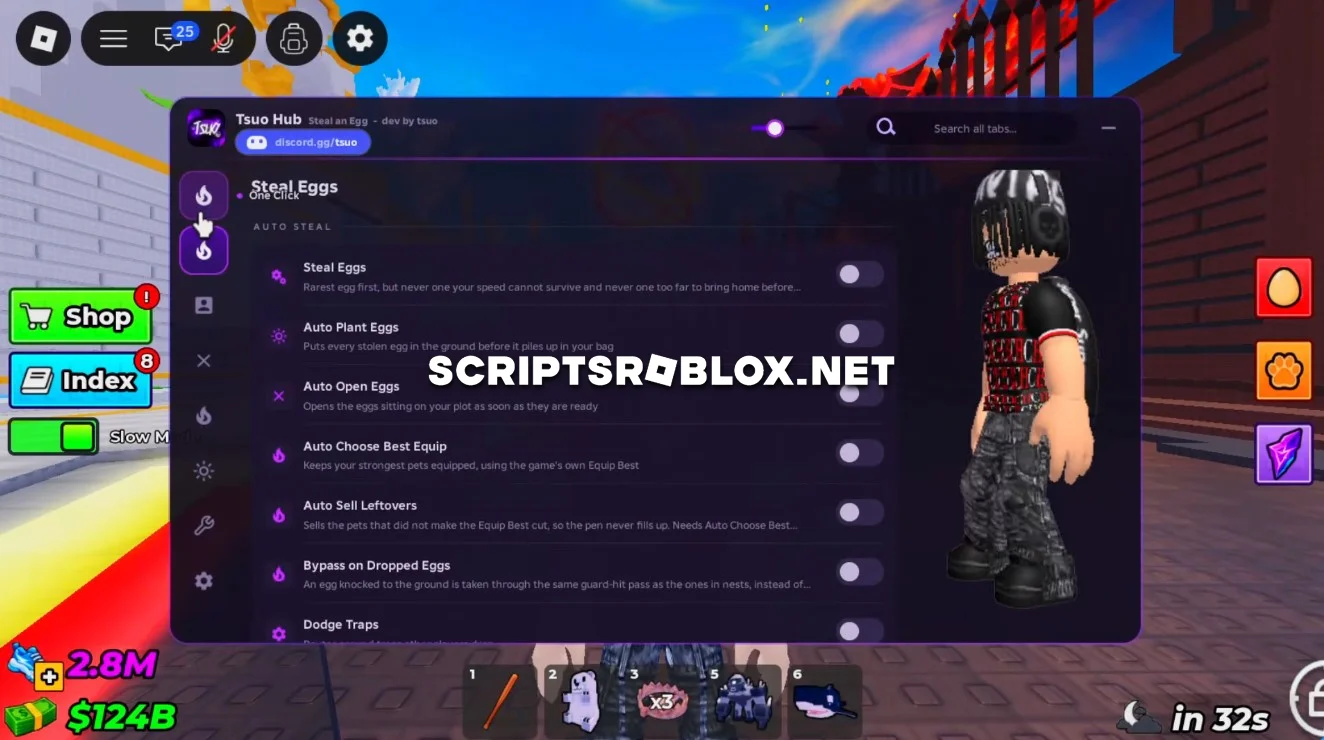
On this page you can copy the latest Tsuo Hub Script for Steal An Egg on Roblox. It includes useful features such as Steal Eggs, Auto Plant Eggs, Auto Open Eggs, Auto Choose Best Equip, Collect Money, Upgrade the Base, Auto Hatch, Egg ESP, FPS Boost, Auto Ring and more. The script helps automate Egg farming, improve your base and manage your Pets with less manual work.
About Steal An Egg
Steal An Egg is a Roblox game in which players need to steal Eggs from various locations and take them to their Base. Players can grow and open Eggs and also hatch various Pets. There are some Eggs that are more expensive than others and are difficult to find.
Players can earn Money, enhance their Base and use various facilities to make their farm productive.
Steal An Egg Tsuo Hub Script Features
Steal Eggs automatically steals Eggs, making it easier to collect them without manually travelling around the map.
Auto Plant Eggs automatically plants your collected Eggs, while Auto Open Eggs opens them for you. Auto Hatch handles the hatching process when Eggs are ready.
Auto Choose Best Equip automatically selects and equips your best available Pets or equipment, helping you get the most out of your collection.
Collect Money automatically collects available Money from your Base. Upgrade the Base purchases available Base upgrades so you can continue improving your setup.
Egg ESP helps you find Eggs around the map by displaying their locations. FPS Boost provides settings designed to improve game performance, while Auto Ring automatically handles the Ring feature.
When combined, these features will automatically perform a lot of the tedious duties involved in Steal An Egg, leaving you with more time to improve your Base and Eggs collection process.
loadstring(game:HttpGet("https://raw.githubusercontent.com/Tsuo7/TsuoHub/main/stealanegg"))()Supported Executors
You can execute this script using one of the supported Roblox executors below.
How to Use This Script
- Download and install a trusted executor.
- Open Roblox and join the game.
- Launch the executor on your Mobile Phone / Emulator.
- Paste the script code into the executor.
- Press Execute and enjoy the new features.
Tip: Always use trusted executors to avoid errors or bans.
Comments 0