
Ninja Legends Mobile Script (BT Project) - Auto Farming GUI
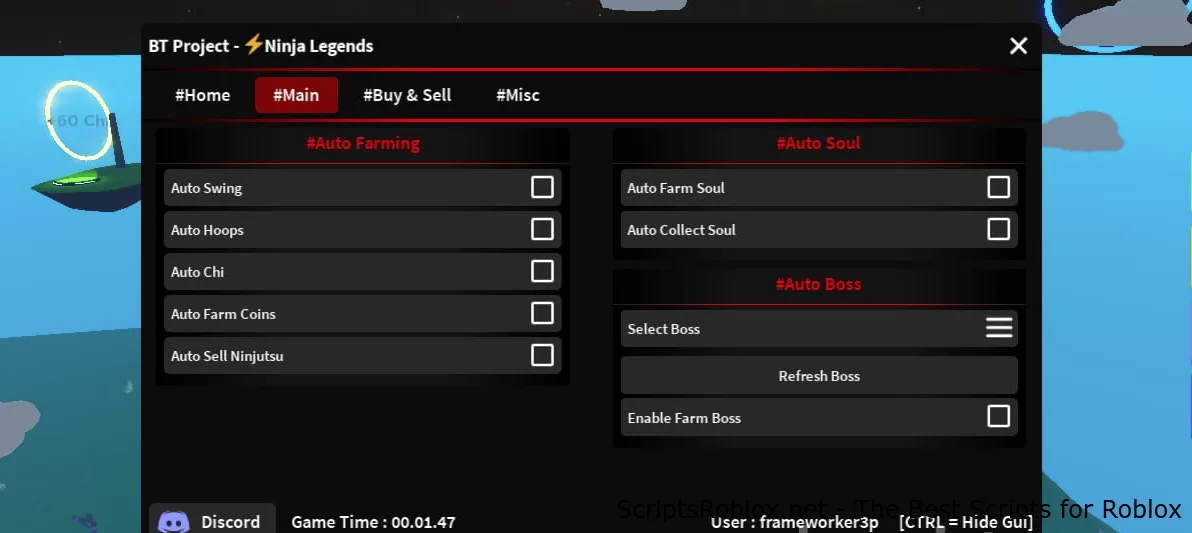
A great new script for the mobile version of the Ninja Legends game is now available at Scriptsroblox.net. The script from the BT Project team has a convenient graphical interface that controls such functions: Auto Swing, Auto Hoops, Auto Chi, Auto Farm Coins, Auto Farm Soul, Auto Boss, Auto Sell, and many others. Thanks to the developers for sharing this script for free, it really is one of the best on Ninja Legends to date. Below you can copy this script, then you need to paste it into your injector, select the desired functions, and enjoy the game.
💻 Script Code
loadstring(game:HttpGet('https://btteam.net/scripts-auth/', true))()Supported Executors
You can execute this script using one of the supported Roblox executors below.
How to Use This Script
- Download and install a trusted executor.
- Open Roblox and join the game.
- Launch the executor on your Mobile Phone / Emulator.
- Paste the script code into the executor.
- Press Execute and enjoy the new features.
Tip: Always use trusted executors to avoid errors or bans.
Report
Comments 0