
SpongeBob Simulator Script: Auto Attack, Auto Hatch & More
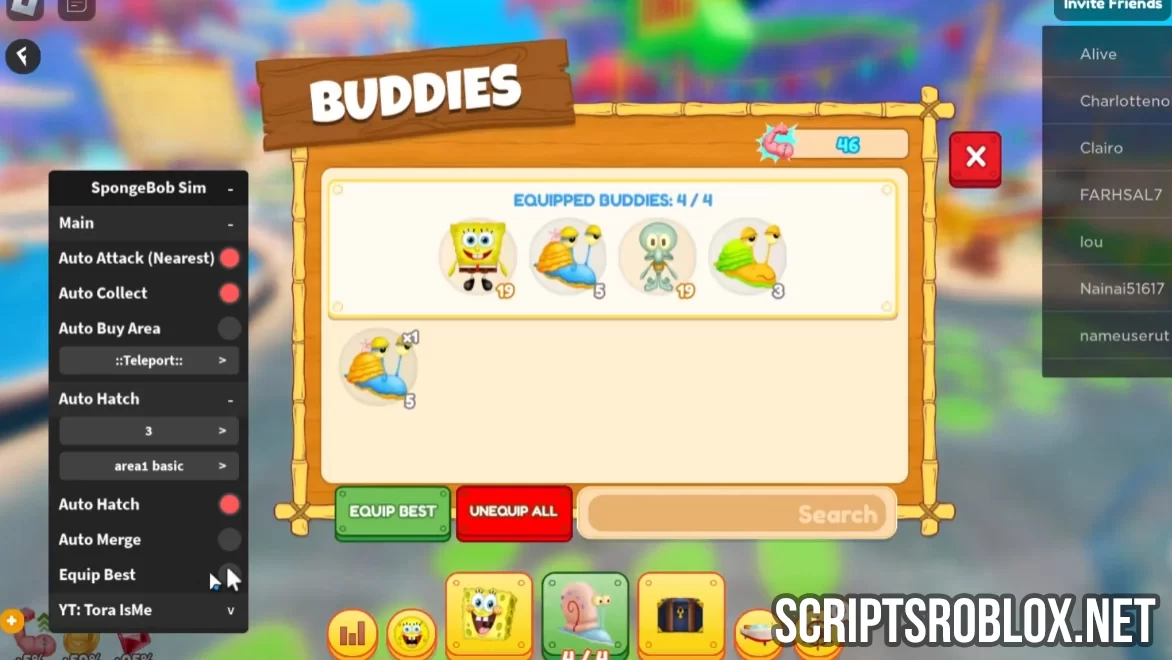
We present you a new script for the game that first appears on our site called SpongeBob Simulator. The script works perfectly under the latest game update, its functions will give you many new features such as Auto Attack (Nearest), Auto Collect, Auto Buy Area, Teleports, Auto Hatch, Auto Merge, Equip Best, and others. Considering its number of functions this script can be considered as the best one so far.
SpongeBob Simulator is a 3D, third-person incremental platformer game based in the world of SpongeBob SquarePants. Based on Gamefam Studios and licensed by Nickelodeon, the game is an open world with a number of playable characters and pets. Players will be able to discover iconic locations in Bikini Bottom, unlock different characters by completing quests, and collect special buddies such as snails, jellyfish, and mini-characters from the series.
Created by ToraIsMe
loadstring(game:HttpGet('https://raw.githubusercontent.com/ToraScript/Script/main/SpongeBob'))()Supported Executors
You can execute this script using one of the supported Roblox executors below.
How to Use This Script
- Download and install a trusted executor.
- Open Roblox and join the game.
- Launch the executor on your Mobile Phone / Emulator.
- Paste the script code into the executor.
- Press Execute and enjoy the new features.
Tip: Always use trusted executors to avoid errors or bans.
Comments 0