
Coding Simulator Script: Get All Codes, Auto Farm & More
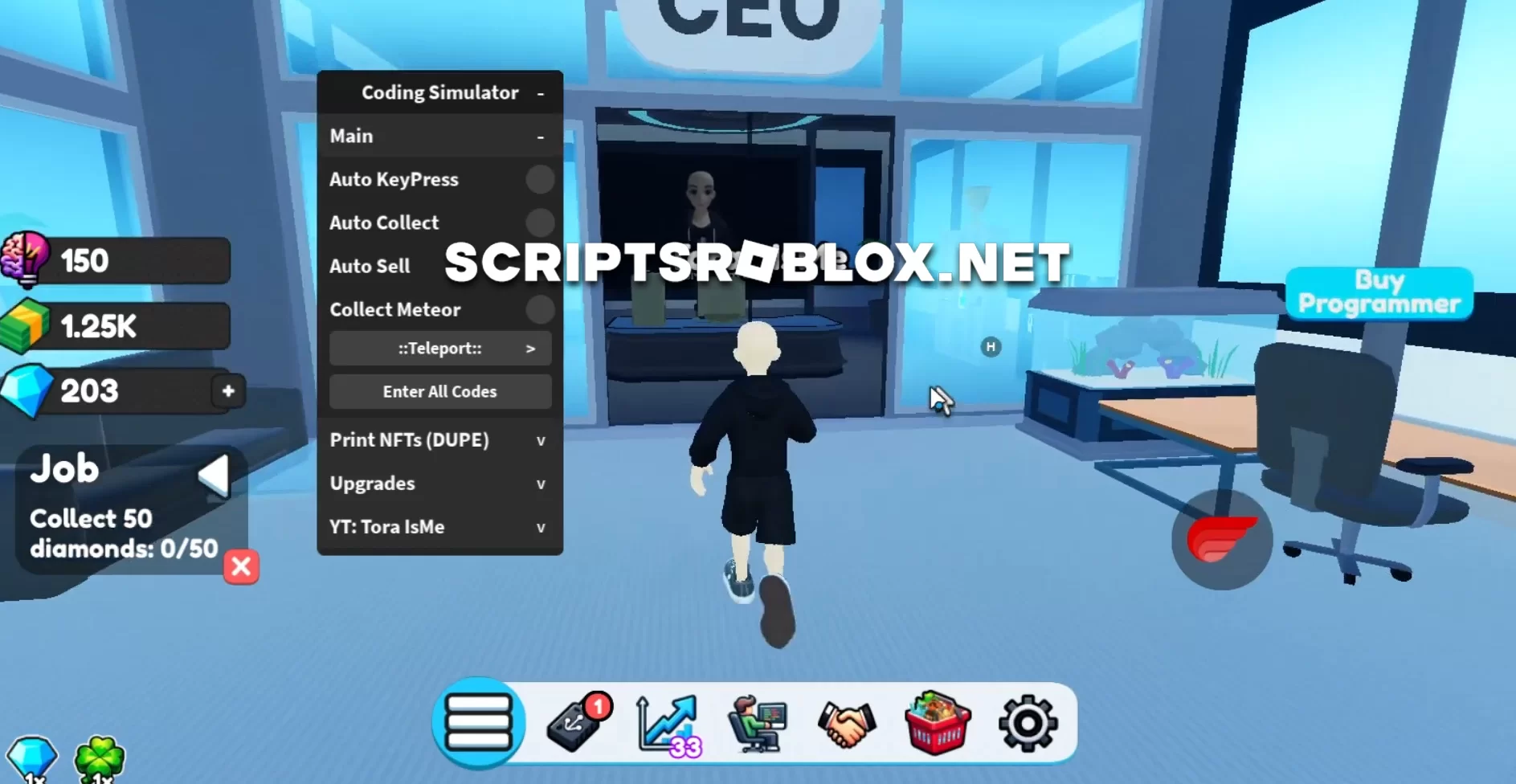
To become the best programmer in the game Coding Simulator you will be helped by a new script with various functions and a user-friendly interface for its use. Coding Simulator is an exciting game that simulates the work of a software developer. Players take on the role of a programmer, going through various problems and challenges often found in real coding scenarios. The game offers a realistic coding environment, allowing players to write, test, and debug code in various programming languages. In this script, you will have access to functions such as Auto KeyPress, Auto Collect, Auto Sell, Collect Meteor, Teleports, Enter All Codes, DUPE NFTs, and others. This script is available for free download from ScriptsRoblox.net.
Created by ToraIsMe
loadstring(game:HttpGet('https://raw.githubusercontent.com/ToraScript/Script/main/Coding'))()Supported Executors
You can execute this script using one of the supported Roblox executors below.
How to Use This Script
- Download and install a trusted executor.
- Open Roblox and join the game.
- Launch the executor on your Mobile Phone / Emulator.
- Paste the script code into the executor.
- Press Execute and enjoy the new features.
Tip: Always use trusted executors to avoid errors or bans.
Comments 0