
Unnamed Shooter Script: Player Esp, Auto Kill Enemy
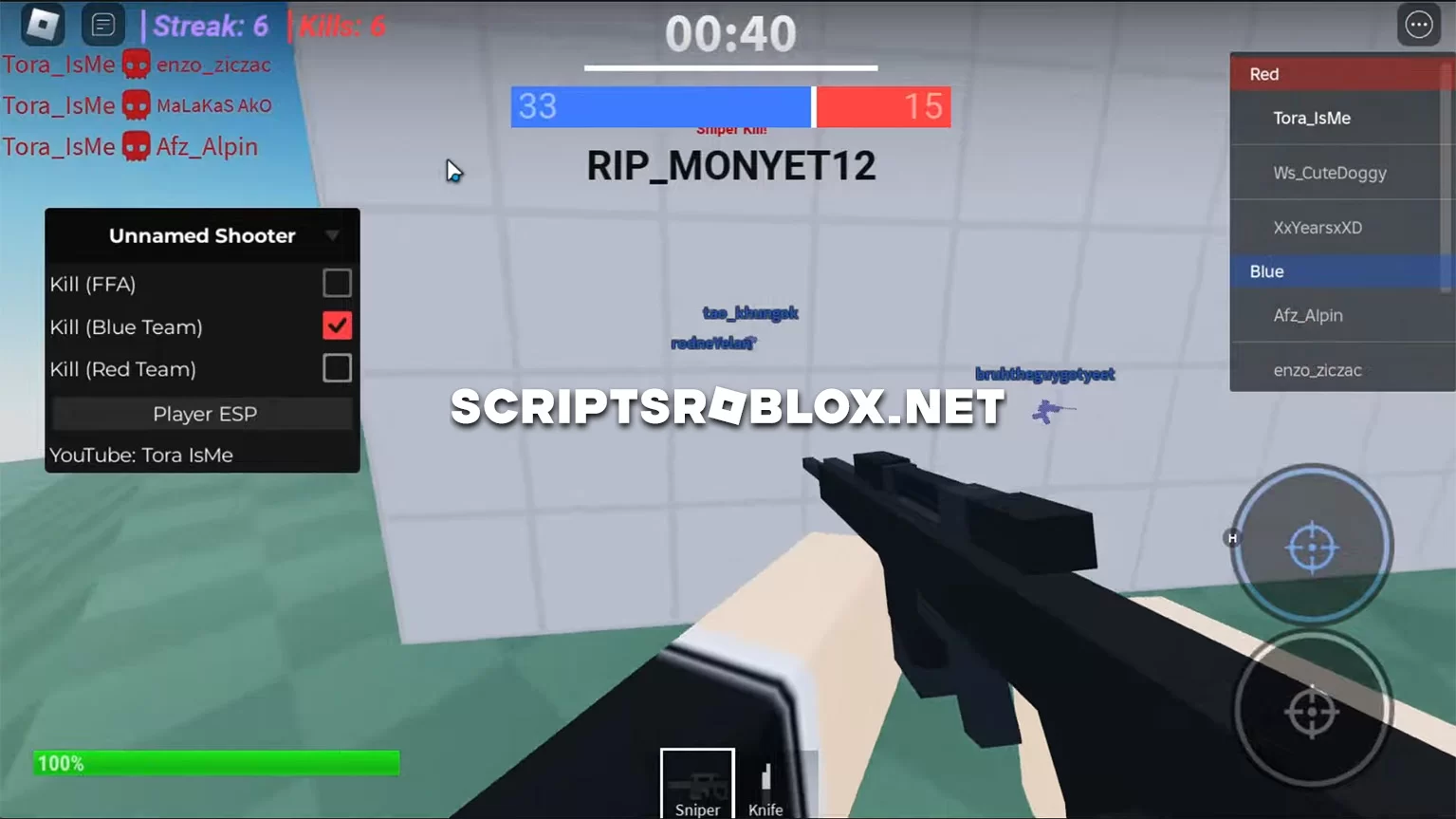
I found on the vast Internet a new cool script on Unnamed Shooter working on all versions of Roblox, with a graphical interface and a couple of useful functions. On the screenshot you can see that it has a function called Player Esp, this means that your opponents will be highlighted through any objects on the map, and you can learn their location, which gives a significant advantage. In addition, the Auto Kill function will destroy opponents for you from any place on the map. The script is brand new and will work for a long time. Try not to abuse it too much, so that you are not blocked, play safer.
💻 Script Code
loadstring(game:HttpGet("https://raw.githubusercontent.com/ToraScript/Script/main/UnnamedShooter", true))()Supported Executors
You can execute this script using one of the supported Roblox executors below.
How to Use This Script
- Download and install a trusted executor.
- Open Roblox and join the game.
- Launch the executor on your Mobile Phone / Emulator.
- Paste the script code into the executor.
- Press Execute and enjoy the new features.
Tip: Always use trusted executors to avoid errors or bans.
Report
Comments 2