
Brookhaven Script Mobile: Hitbox, Esp, Walkspeed & More
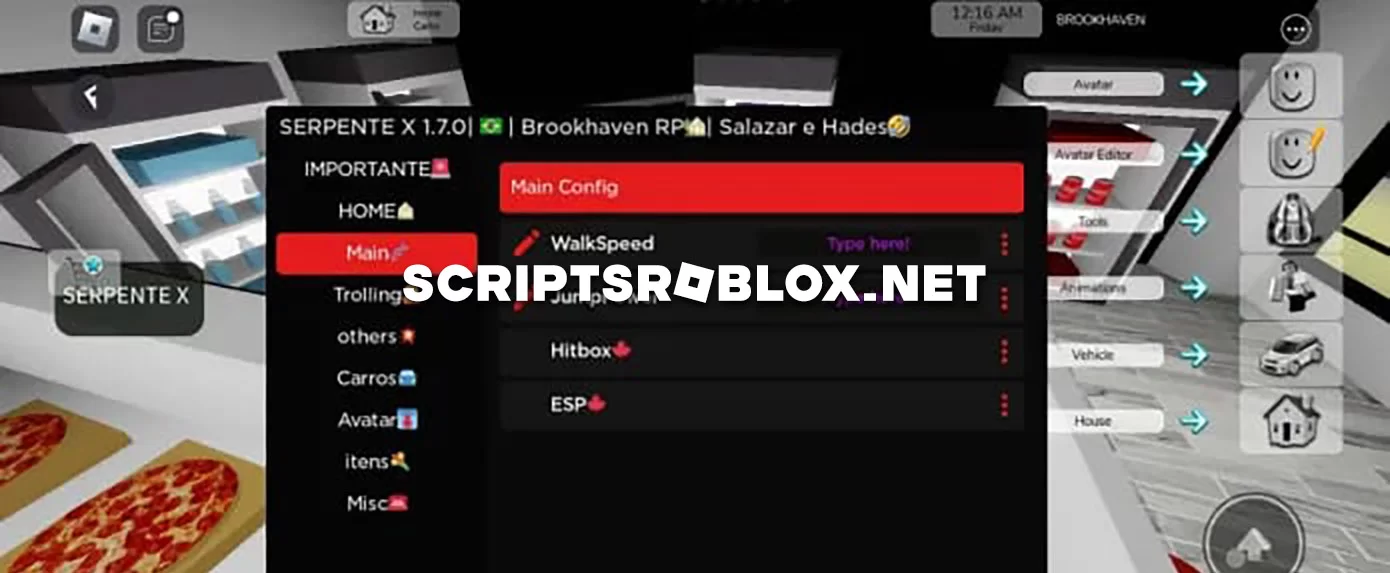
Dear visitors of ScriptsRoblox.net, we are happy to republish for you a script on one of the most popular Roblox games Brookhaven RP. Using such a script will provide many benefits, improving both gameplay and functionality. Its functions allow you to automate repetitive tasks, making it easier to manage various actions in the game, such as earning in-game currency, customizing characters, or driving vehicles. This automation saves time and allows players to focus on exploring and enjoying the game. In the screenshot you can see a couple of features of this script, they are Walkspeed, JumpPower, Hitbox, Esp, Avatar, Trolling, and others, all of them work perfectly. The script can be run both on a mobile version or emulator and on a PC.
loadstring(game:HttpGet("https://raw.githubusercontent.com/err0r129/SerpenteXbetaByDefense129/main/Serpente.Scripts"))()Supported Executors
You can execute this script using one of the supported Roblox executors below.
How to Use This Script
- Download and install a trusted executor.
- Open Roblox and join the game.
- Launch the executor on your Mobile Phone / Emulator.
- Paste the script code into the executor.
- Press Execute and enjoy the new features.
Tip: Always use trusted executors to avoid errors or bans.
Comments 1