
Blox Fruits Script (Gravity Hub) - Auto Farm, Auto Upgrade & More
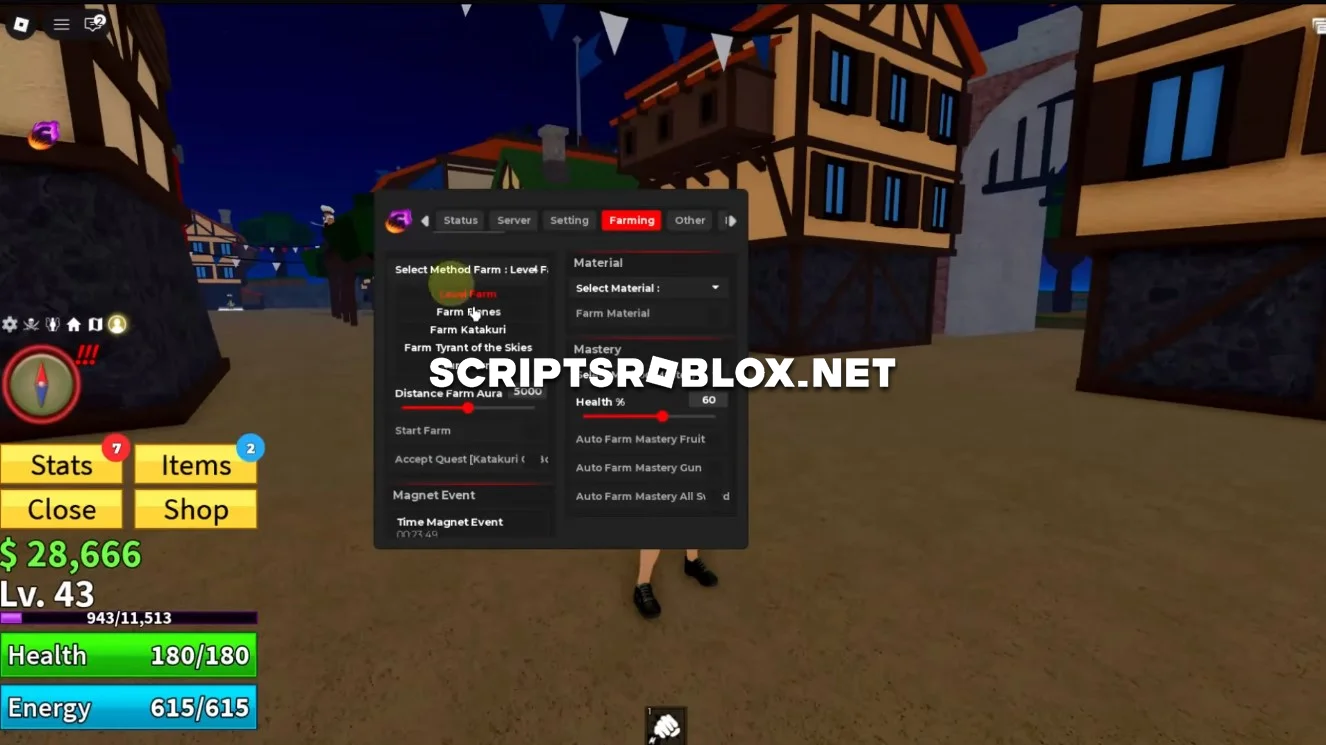
If you've been looking for the best script for Blox Fruits, Gravity Hub is one of them. This script is very popular thanks to its stability and huge range of features. It will help you level up quickly and gain an advantage over other players, working equally well on both PC and mobile.
The script fully automates farming fruit, quests, and bosses, helping you quickly level up, unlock new skills, and collect money. The script also supports teleports, auto-skills, and character upgrades - everything works stably and without lag.
The interface is convenient and intuitive, the functions are easy to enable and disable, and the best part is that it doesn't require a Key System, so you can launch it and start playing right away.
About Blox Fruits
Blox Fruits is a Roblox adventure game set in a world of Pirates. The game takes place in an anime-style where you complete quests on various Islands, fight NPCs and other players to earn Robux and Experience.
The game also has multiple seas filled with new and exciting islands to explore, enemies to defeat, and new challenges to conquer. You can also gain powerful Blox Fruits, learn and master new fighting styles, collect tons of weapons, and upgrade the stats of your character.
Blox Fruits Script Gravity Hub Features
Max Level Auto Farm, Auto Farm Magnet, Sea Events automation, Stats Upgrade, Auto Collect Fruit, Auto Raid, Fruit ESP & Fruit Sniper, Auto Collect Chest, Auto Mastery, Skill Point Auto Allocation, True Instant Teleport, Cooldown Bypass, ESP overlays, Auto PvP / Aura Hit, Auto Rebirth, WalkSpeed & Fly toggles, Noclip, Safe Mode, Server Hop, Anti Kick, Anti AFK, and tons of optimization tools for smooth farming - including Bomb & Event assistance, improved farm routes, and zero-lag farming options for both low-end and high-end devices.
GravityHub = {
    Key = "",
    Team = "Pirates",
    Color = "Red",
    SaveSetting = false,
    AutoExecute = false
}
loadstring(game:HttpGet("https://raw.githubusercontent.com/Dev-GravityHub/BloxFruit/main/MainPremium.lua"))()
Supported Executors
You can execute this script using one of the supported Roblox executors below.
How to Use This Script
- Download and install a trusted executor.
- Open Roblox and join the game.
- Launch the executor on your Mobile Phone / Emulator.
- Paste the script code into the executor.
- Press Execute and enjoy the new features.
Tip: Always use trusted executors to avoid errors or bans.
Comments 1