
ToastyXD Hub - Best 99 Nights in the Forest Script (NO KEY)
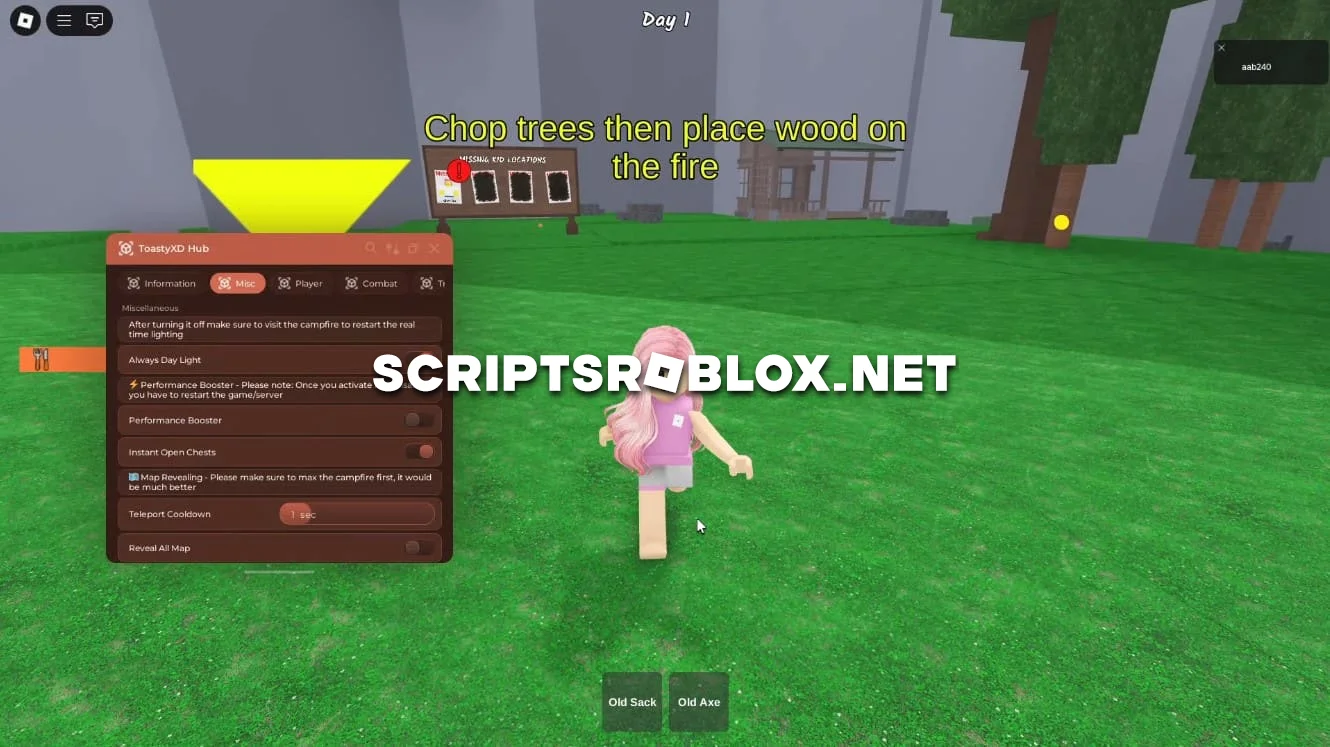
ToastyXD Hub is one of the best scripts of 2026 for 99 Nights in the Forest. This powerful hub has everything you need for comfortable and fast gameplay: Auto Farm, Infinite Wood, Taming, Inf Diamond, Bring all, and much more. You can farm resources, see enemies and players through walls, teleport instantly, and survive even against the most dangerous creatures.
The interface is simple and intuitive, and the script runs smoothly and without lag.
Main Features (99 Nights in the Forest – ToastyXD Hub)
- Auto Farm - with it, you simply activate the script on a tree for 99 nights, and the Enable Auto Tree Chopping option will do everything for you. You can max everything out by also activating Ultra Tree Chopping, and you will be able to chop down several trees at once!
- Diamond and Gem Farm - activate the diamond farm script in 99 Nights, and your crystal and gem reserves will grow before your eyes while you drink tea.
- Item Spawn and Duplicate. Need rare items? Use the item script in 99 Nights to spawn everything you need. And for the most cunning, there is even a script for 99 nights of dupes!
- And much more: teleportation, auto-resource gathering, bed spawning.
All this and more awaits you inside the cool interface.
The author plans to regularly update the script so that it always works and your account is protected from being banned. There are no hassles with obtaining a key to run it; just download it and run it through the Roblox injector. Another nice feature is its intuitive interface, which even a beginner can figure out, and powerful functionality ranging from auto-farming to item spawning. Most importantly, you can play with the script on your PC, phone, or tablet. Download the script right now and see how easy it is to speed up your progress in Roblox 99 Nights in the Forest.
loadstring(game:HttpGet("https://raw.githubusercontent.com/nouralddin-abdullah/ToastyHub-XD/refs/heads/main/hub-main.lua"))()Supported Executors
You can execute this script using one of the supported Roblox executors below.
How to Use This Script
- Download and install a trusted executor.
- Open Roblox and join the game.
- Launch the executor on your Mobile Phone / Emulator.
- Paste the script code into the executor.
- Press Execute and enjoy the new features.
Tip: Always use trusted executors to avoid errors or bans.
Comments 2