
The Forge Script (Rift) - Instant Forge, Auto Farm & More
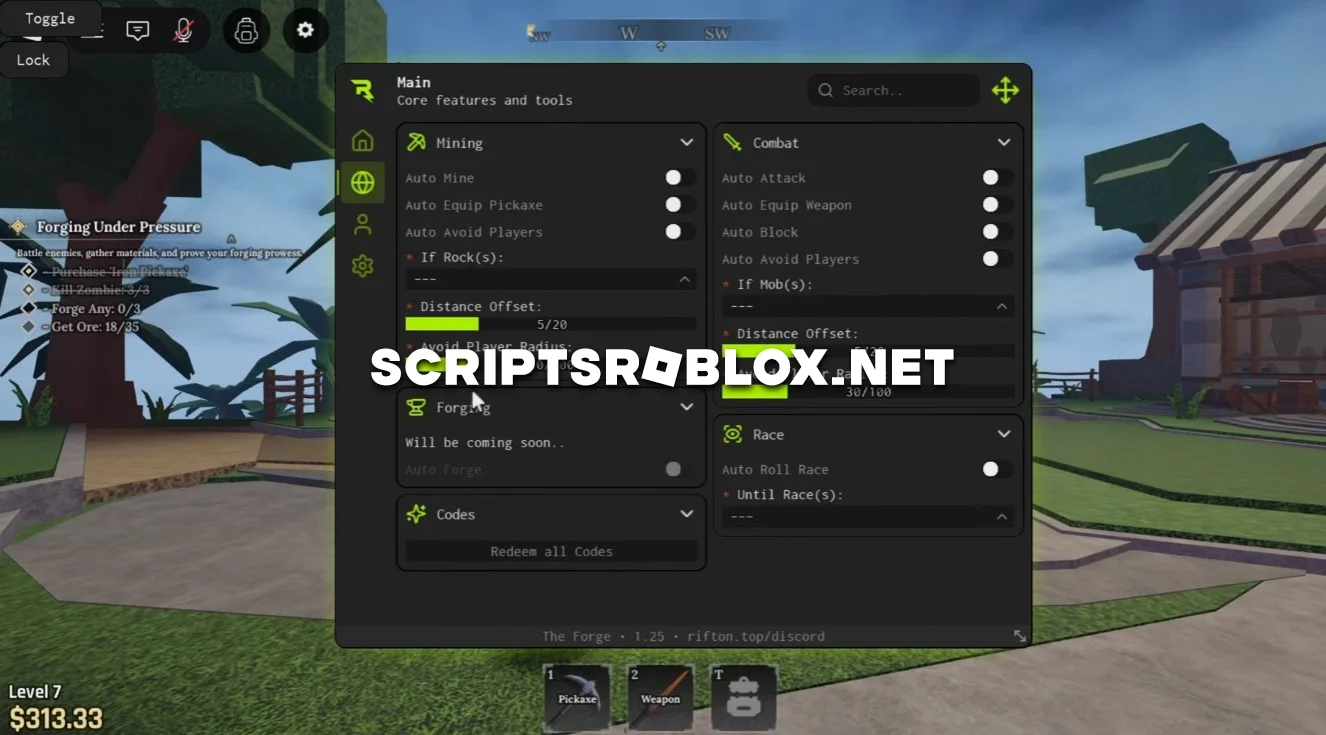
Dear fans of Roblox's The Forge game, we continue to publish only the best free scripts for you. On this page, we present you with an excellent script called Rift. This script fully automates mob farming and leveling, leaving you with only the most interesting parts. Rift can automatically mine ore, use your pickaxe, bypass other players so as not to interfere with anyone or get into fights, and accurately select the right stones thanks to flexible distance settings.
The script also performs excellently in combat: Auto Attack, Auto Equip Weapon, Auto Block, and Auto Avoid Players make farming safer and more stable. Additionally, Auto Roll Race is available, which selects the race you need, and a convenient section for instant entry of all codes.
In our opinion, Rift is considered one of the best scripts for The Forge because it works stably and is compatible with all PC platforms and mobile phones. All functions are grouped into sections, and the farming and movement settings can be easily adjusted to suit your playing style.
We were also able to run it without any problems through the Delta and Codex injectors, so you won't have any difficulties getting started. The developer regularly releases updates to keep the script up to date with the latest version of the game.
loadstring(game:HttpGet("https://rifton.top/loader.lua"))()Supported Executors
You can execute this script using one of the supported Roblox executors below.
How to Use This Script
- Download and install a trusted executor.
- Open Roblox and join the game.
- Launch the executor on your Mobile Phone / Emulator.
- Paste the script code into the executor.
- Press Execute and enjoy the new features.
Tip: Always use trusted executors to avoid errors or bans.
Comments 0