
The Forge Script GUI - Auto Farm, Instant Forge, Auto Ore & More
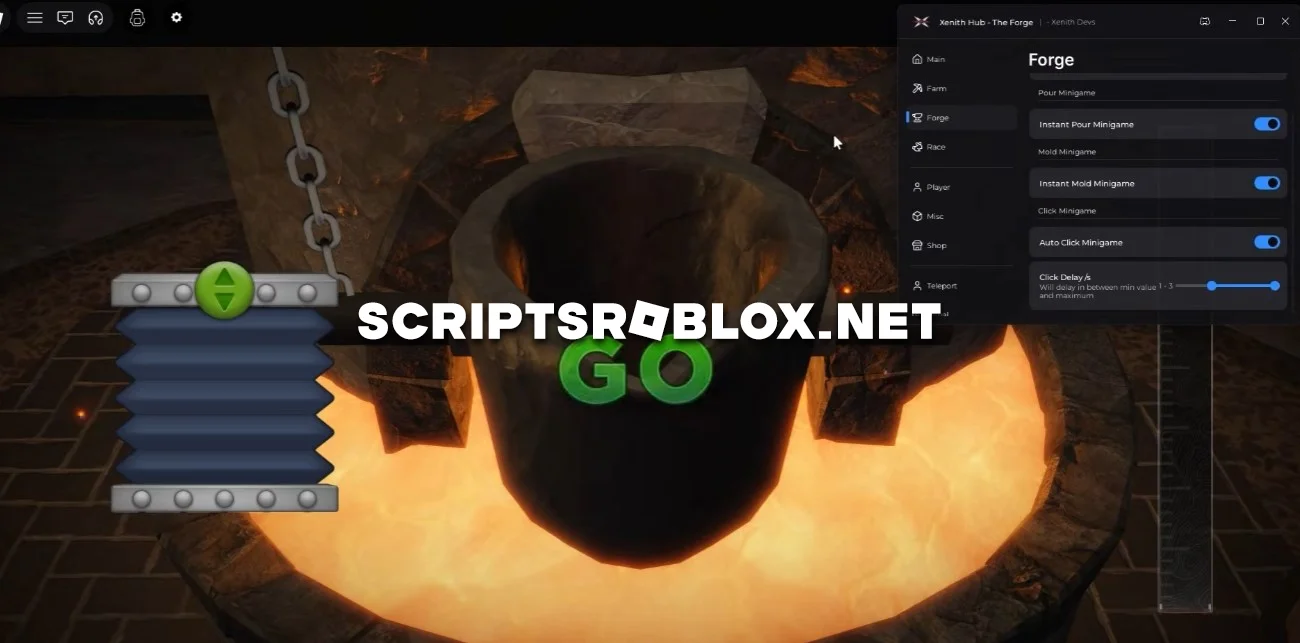
We are pleased to present a new excellent script Xenith Hub, on The Forge, which automates key game processes and makes gameplay smoother and more comfortable. With this script, battles become more stable and safer, characters act smarter, and movement through locations is faster and without unnecessary risk. You can easily deal with opponents, control the situation in battles, and maintain full control over your character even in the most tense moments. The script is controlled via a graphical interface, it is conveniently designed, and even beginners can handle its configuration.
The Forge Script GUI Features
- Auto Mine Selected Rocks
- Auto Kill Selected Mobs
- Auto Ore
- Instant Forge
- Kill Aura
- Auto Click Minigame
- Teleports
- Walk Speed
- Jump Power
- And more!
💻 Script Code
loadstring(game:HttpGet("https://api.luarmor.net/files/v4/loaders/d7be76c234d46ce6770101fded39760c.lua"))()Supported Executors
You can execute this script using one of the supported Roblox executors below.
How to Use This Script
- Download and install a trusted executor.
- Open Roblox and join the game.
- Launch the executor on your Mobile Phone / Emulator.
- Paste the script code into the executor.
- Press Execute and enjoy the new features.
Tip: Always use trusted executors to avoid errors or bans.
Report
Comments 0