
Roblox Run a Restaurant Script - Auto Farm GUI
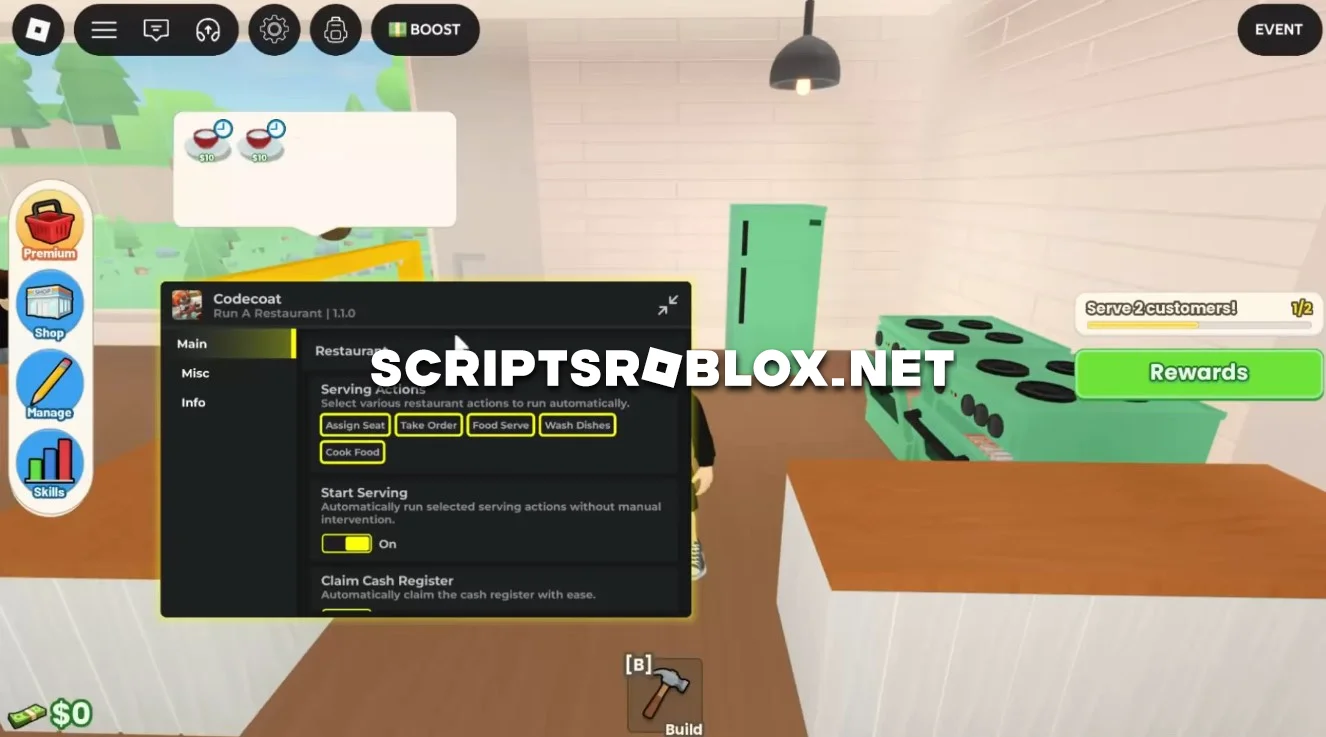
A really cool script for the Roblox game Run a Restaurant that can automatically perform various actions, making gameplay easier for you.
The script can seat customers, take orders, prepare food, serve dishes, and wash dishes on its own, so the restaurant keeps running even without your involvement.
In addition to handling customers, the script automatically collects money from the cash register and tips, harvests crops from the garden beds, cares for animals, and gathers resources and honey from the apiary. It can also restock the Food Truck, hire employees, and claim rewards for completed tasks.
The Fast NPCs feature speeds up customer service, allowing the restaurant to operate more efficiently and generate more profit.
We highly recommend this script; it is well-designed, runs smoothly, and does not require an activation key. The author plans to update it and add even more features.

loadstring(game:HttpGet("https://raw.githubusercontent.com/Breadido/Codecoat/refs/heads/main/looder.luau"))()Supported Executors
You can execute this script using one of the supported Roblox executors below.
How to Use This Script
- Download and install a trusted executor.
- Open Roblox and join the game.
- Launch the executor on your Mobile Phone / Emulator.
- Paste the script code into the executor.
- Press Execute and enjoy the new features.
Tip: Always use trusted executors to avoid errors or bans.
Comments 0