
Roblox Merge a Nuke Script - Auto Merge, Auto Upgrade & More
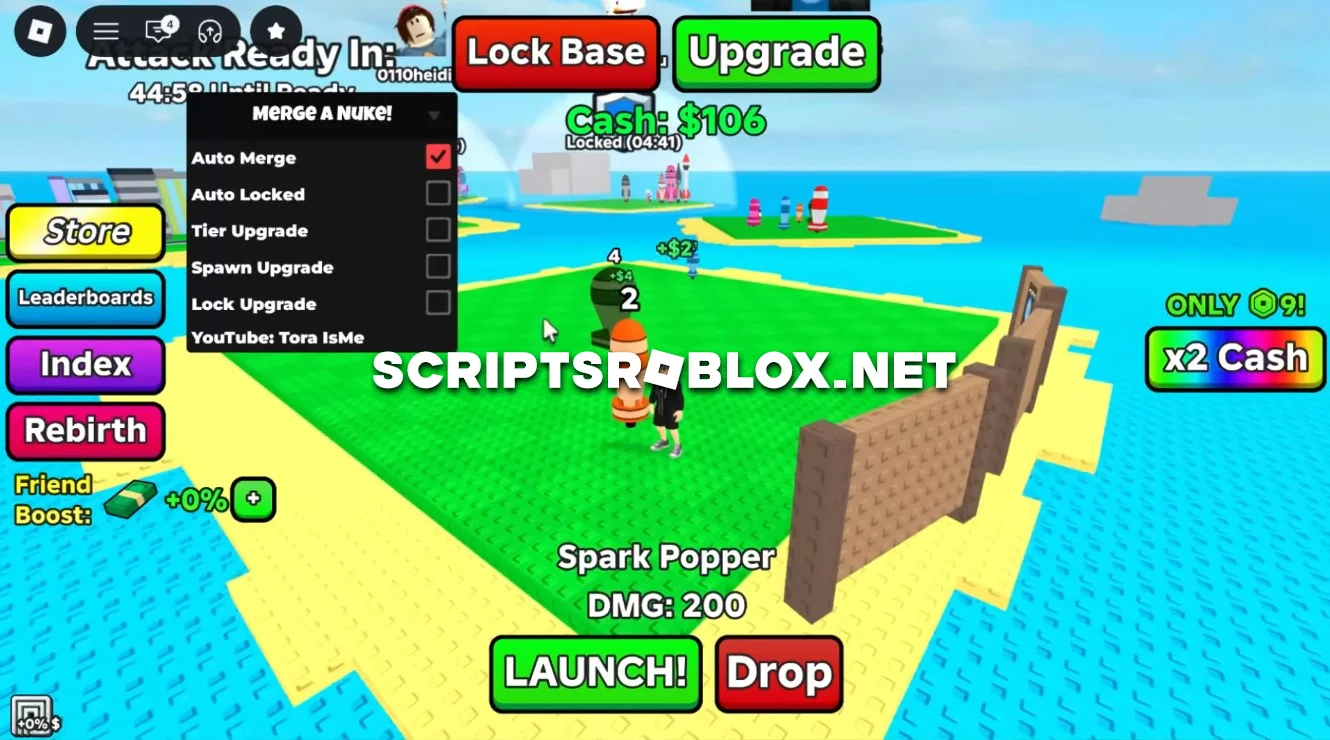
The best free Roblox script for the game Merge a Nuke by Tora, which you can copy from this page and use. It helps you create more powerful items faster and speeds up your overall progress in the game. Auto Merge automatically combines identical items, so you don’t have to do it manually or keep track of every new item that appears.
Tier Upgrade, Spawn Upgrade, and Lock Upgrade automatically purchase upgrades, increasing your progression speed and allowing you to obtain more valuable and rare merges faster. The Auto Locked feature handles locked items on its own, making the merging process even more convenient.
As a result, the script automates the game’s core mechanics: items are merged, upgrades are purchased, and progress continues almost non-stop. The script is well-designed, runs smoothly, and does not require an activation key.
loadstring(game:HttpGet("https://raw.githubusercontent.com/gumanba/Scripts/main/MergeaNuke"))()Supported Executors
You can execute this script using one of the supported Roblox executors below.
How to Use This Script
- Download and install a trusted executor.
- Open Roblox and join the game.
- Launch the executor on your Mobile Phone / Emulator.
- Paste the script code into the executor.
- Press Execute and enjoy the new features.
Tip: Always use trusted executors to avoid errors or bans.
Comments 0