
Demonology Script - Auto Play, Full Bright, Esp & More
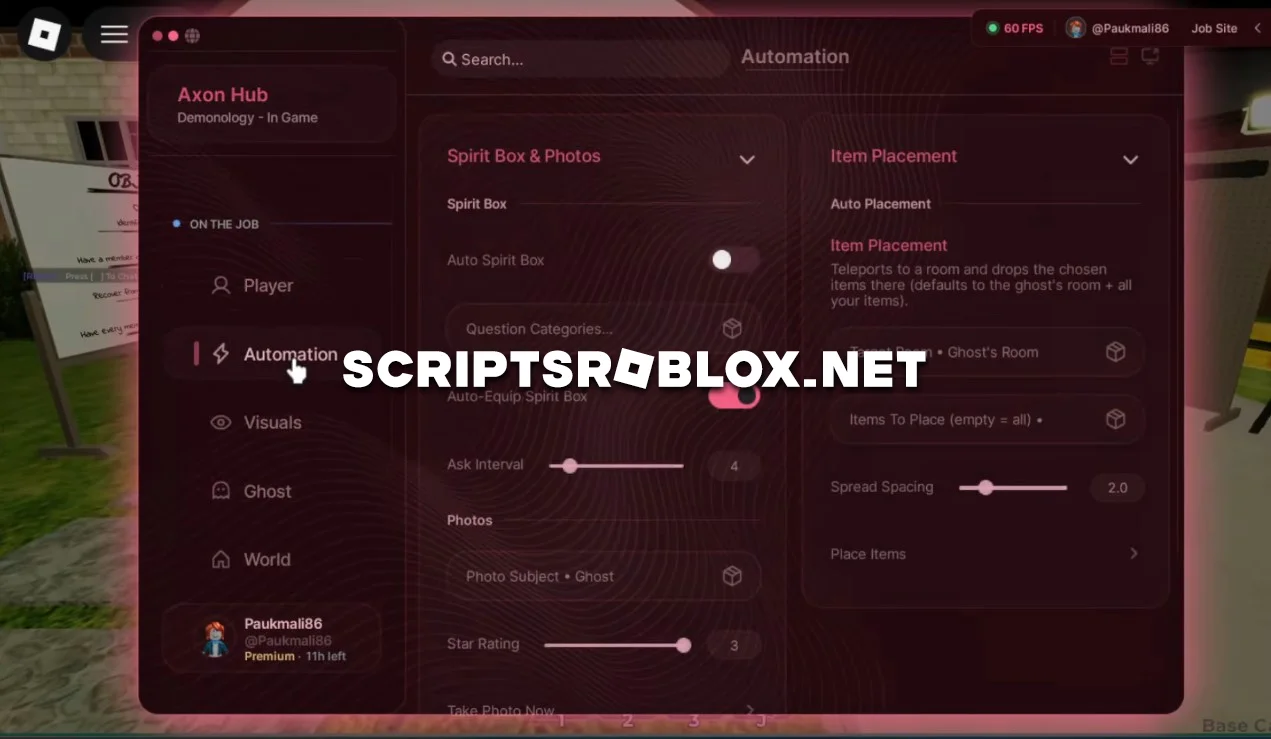
Demonology is a cooperative horror game on Roblox where players must explore locations, search for clues, and identify the type of ghost using special equipment. To complete the game successfully, you’ll need to gather evidence, take photos, ask questions via the Spirit Box, and pay close attention to what’s happening around you.
This script makes all the investigations very easy due to the presence of various automated options that are capable of doing several things on their own. It is very easy and fast to gather clues and manipulate various equipment.
Apart from these options, there is also the presence of ESP, which will give you more details about the objects and environment, Full Bright that makes the game easy to play even in the dark, and Ghost Evidence that makes it easy for you to find the required evidence.
The script is well-designed, runs smoothly, and doesn’t require an activation key, so all features are available immediately upon launch.
getgenv().Provider = "rscript"
loadstring(game:HttpGet("https://api.luarmor.net/files/v3/loaders/97c3f6db55a2cf72141537a85458e5a7.lua"))()
Supported Executors
You can execute this script using one of the supported Roblox executors below.
How to Use This Script
- Download and install a trusted executor.
- Open Roblox and join the game.
- Launch the executor on your Mobile Phone / Emulator.
- Paste the script code into the executor.
- Press Execute and enjoy the new features.
Tip: Always use trusted executors to avoid errors or bans.
Comments 0