
Animal Hospital Script Pastebin - Auto Play, ESP All, Survival & More
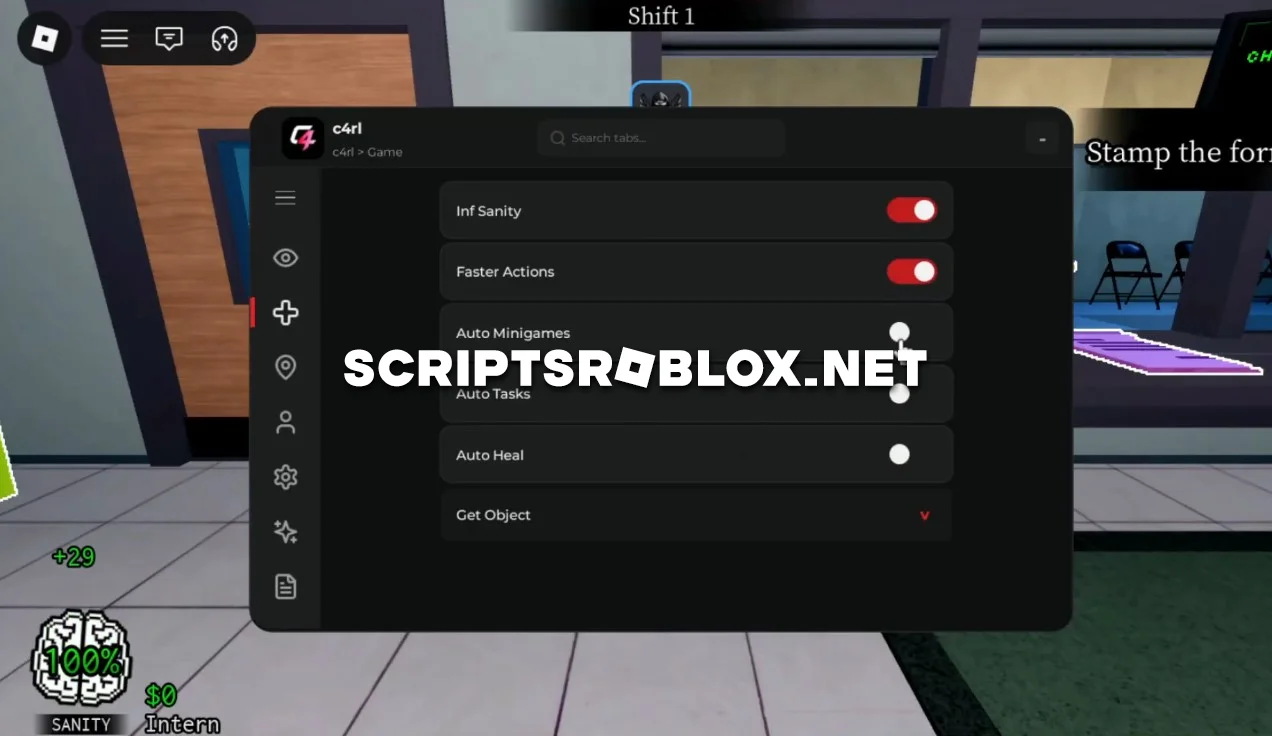
One of the most famous horror games that can be found on Roblox is Animal Hospital, in which players have to navigate through a scary hospital and do different tasks. These tasks include treating patients and playing different mini-games in order to survive the danger of anomalies.
This Animal Hospital script by c4rl significantly simplifies gameplay thanks to its many automated features. Auto Play automatically performs many in-game actions, including completing mini-games, carrying out tasks, and treating patients.
The script also includes ESP All to highlight important objects and characters, Inf Sanity for a more comfortable gaming experience, Faster Actions to speed up most interactions, Walk Speed for faster movement, Anti AFK, and many other useful features. This makes exploring locations easier and completes tasks much more quickly.
This script gets frequently updated, has a nice interface with lots of customizability, and is great for everyone from beginners to advanced users that are trying to make their gameplay in the Animal Hospital go by faster.
loadstring(game:HttpGet("https://raw.githubusercontent.com/unrexl/Scripts/refs/heads/main/AnimalHospital"))()Supported Executors
You can execute this script using one of the supported Roblox executors below.
How to Use This Script
- Download and install a trusted executor.
- Open Roblox and join the game.
- Launch the executor on your Mobile Phone / Emulator.
- Paste the script code into the executor.
- Press Execute and enjoy the new features.
Tip: Always use trusted executors to avoid errors or bans.
Comments 0