
Animal Hospital Script - Auto Farm, NPC ESP & More (NO KEY)
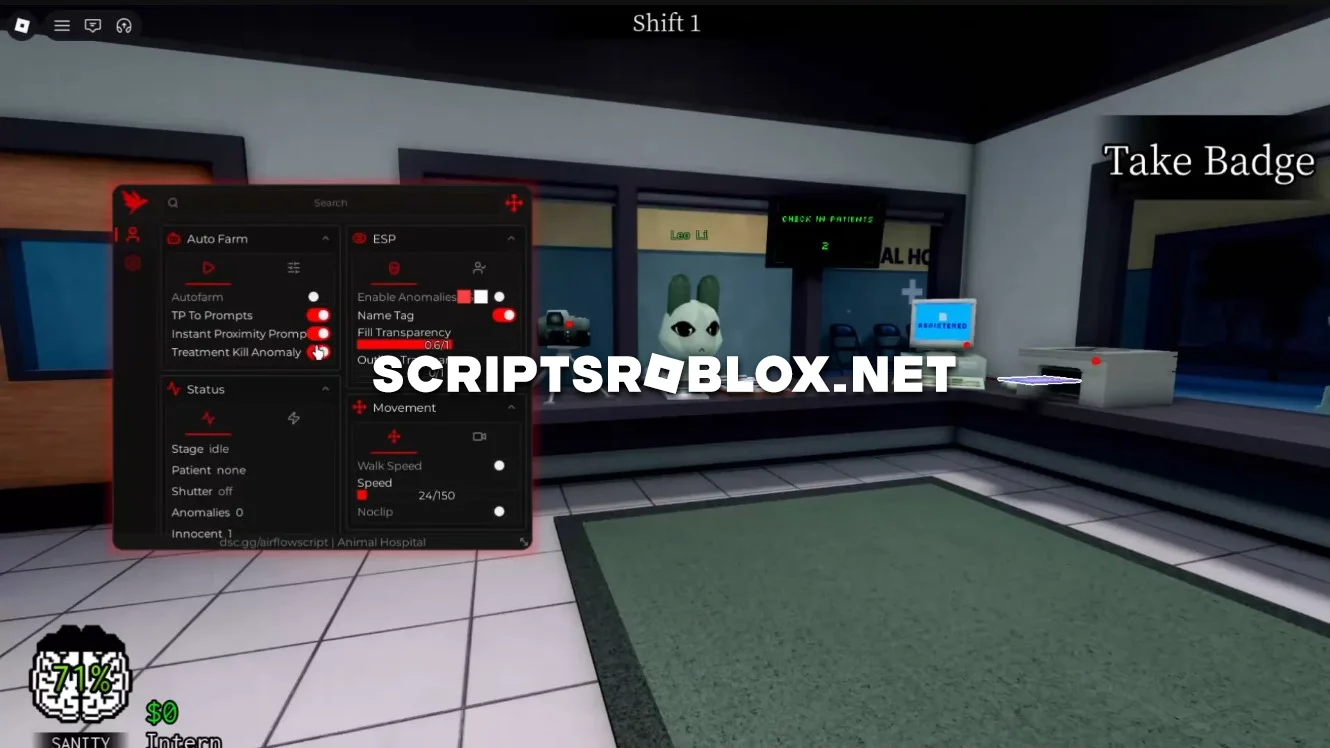
One of the most popular horror video games in Roblox is Animal Hospital. In order to win this game, players should go inside the abandoned animal hospital, look for hints, perform some actions and evade from anomalies. During the game, you need to be responsive and pay attention to everything, as any slip-up will cause your total loss.
This script greatly simplifies the process of playing this game. “Auto Process All” automates many in-game actions, making the experience much faster and requiring less input from you. “NPC ESP” lets you see important characters, while “Anomaly ESP” helps you locate dangerous objects more quickly and navigate the map.
The script also includes additional features for convenient movement and camera settings, including Third Person, Camera NoClip, Custom FOV, and other useful options. This makes exploring locations much more comfortable and significantly increases your chances of successfully completing each mission.
The script is well-designed, runs smoothly, and does not require an activation key.
loadstring(game:HttpGet("https://airflowscript.com/loader"))()Supported Executors
You can execute this script using one of the supported Roblox executors below.
How to Use This Script
- Download and install a trusted executor.
- Open Roblox and join the game.
- Launch the executor on your Mobile Phone / Emulator.
- Paste the script code into the executor.
- Press Execute and enjoy the new features.
Tip: Always use trusted executors to avoid errors or bans.
Comments 1