
KNIFE DUELS Script - Knife Aura, Silent Aim, Esp & More
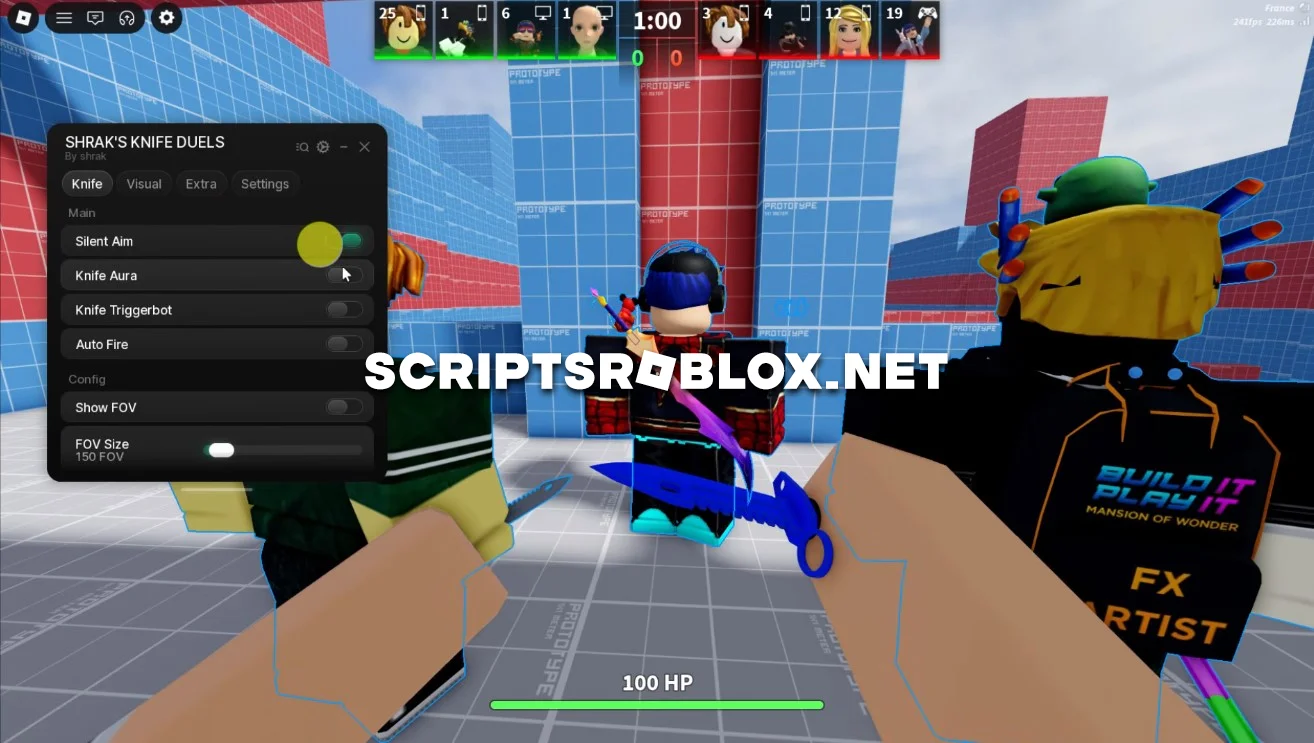
On this page, we’ve put together the best script for the Roblox game KNIFE DUELS. It includes powerful features such as Knife Aura, Knife Triggerbot, Silent Aim, Auto Fire, ESP, and FOV settings. The script is regularly updated to support the latest version of the game and will help you dominate every duel thanks to increased accuracy and better orientation on the battlefield.
About KNIFE DUELS?
KNIFE DUELS is an action-packed Roblox game that pits player against player in fast-paced knife battles. Fast reflexes, proper throwing and strategic movement are what make the game so exciting. Winning these battles earns players new knives and helps them advance up the rankings.
KNIFE DUELS Script Features
This script enhances both combat and awareness, making it much easier to hit opponents and react faster during battles.
Knife Aura
Knife Aura automatically attacks nearby enemies, allowing you to eliminate opponents quickly without needing perfect timing.
Silent Aim & Triggerbot
Silent Aim improves your hit accuracy, while Triggerbot automatically attacks when an enemy is in range. Together, these features make combat much more consistent and effective.
Auto Fire
Automatically throws or attacks with your knife, helping you react faster than manual gameplay and maintain constant pressure on opponents.
ESP & FOV
ESP allows you to see enemy players through walls, while customizable FOV settings help you detect and engage targets more efficiently.
Why Use This KNIFE DUELS Script?
Rather than depending only on fast reflexes, this script offers you more combat assistance and better vision. Whether you want to get more victories in duels, be more accurate, or get ranked faster, these abilities will surely help you win in every game.
loadstring(game:HttpGet('https://raw.githubusercontent.com/imshrak/knifeduels/main/menu'))()Supported Executors
You can execute this script using one of the supported Roblox executors below.
How to Use This Script
- Download and install a trusted executor.
- Open Roblox and join the game.
- Launch the executor on your Mobile Phone / Emulator.
- Paste the script code into the executor.
- Press Execute and enjoy the new features.
Tip: Always use trusted executors to avoid errors or bans.
Comments 0