
Drain the Lake Script - Auto Fill Water, Collect All Chests & More
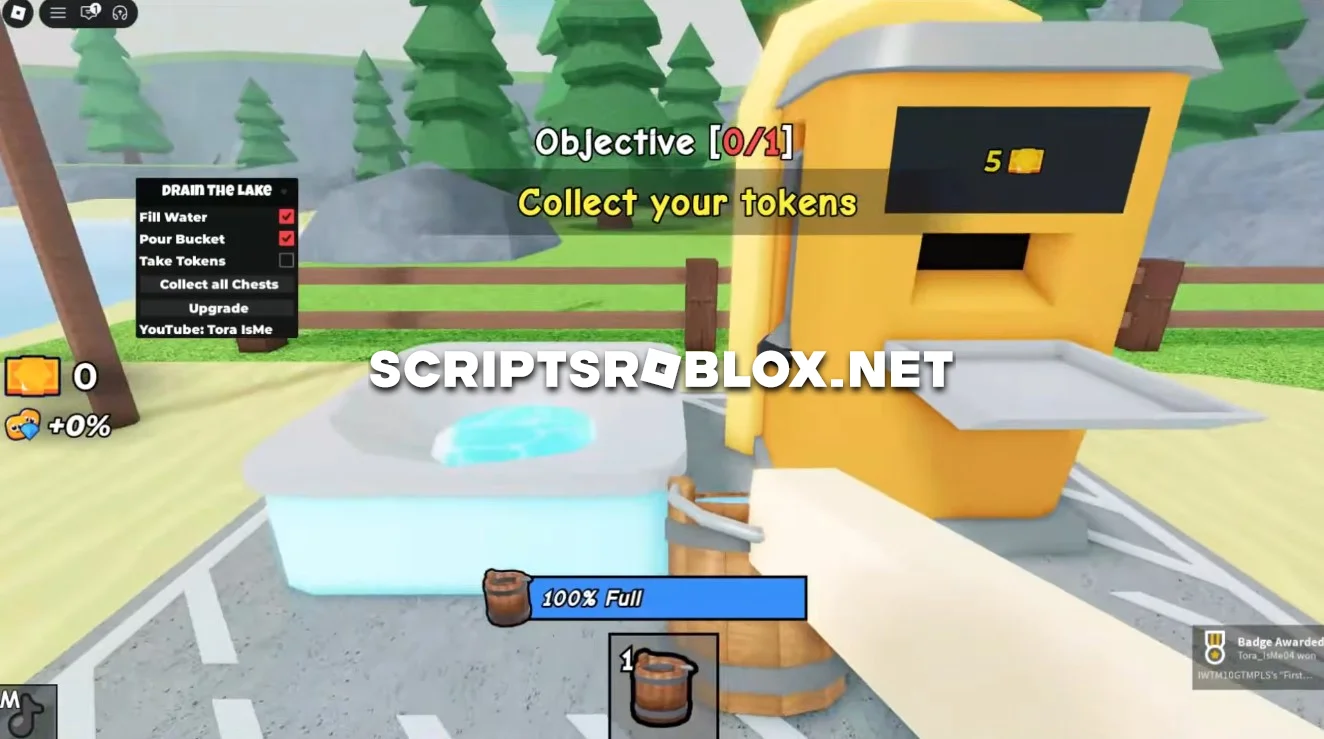
On this page, you'll find a script for the Roblox game “Drain the Lake” that will help you progress through the game faster. With this script, you can quickly gather resources and unlock all the best upgrades, allowing you to advance in the game without wasting time on repetitive tasks.
What is Drain the Lake?
Drain the Lake is a popular game of Roblox, in which you need to use buckets to drain the large lake and you have to make use of your Tokens in order to buy some upgrades. You will get your Tokens from the buckets which will help you to earn the more Tokens with the help of upgrading.
Game is easy to play for those who like farming and getting some upgrades.
Drain the Lake Script Features
This Drain the Lake script automates the most repetitive parts of the game, allowing you to progress much faster while spending less time performing manual actions.
Auto Fill Water
Automatically fills your bucket with water whenever needed, eliminating the need to repeatedly interact with the lake yourself.
Pour Bucket
Automatically empties your bucket at the correct location, allowing continuous farming without interruptions.
Take Tokens
Collects Tokens automatically as you earn them, ensuring that no rewards are missed during gameplay.
Collect All Chests
Searches for and collects available treasure chests around the map, helping you obtain additional rewards and valuable resources.
Upgrade
Automatically purchases available upgrades whenever you have enough Tokens, making your character stronger and increasing farming efficiency over time.
Why Use This Drain the Lake Script?
Grinding manually can become repetitive after a while. This script automates the main gameplay mechanics so you can earn Tokens, collect rewards and purchase upgrades much faster than by playing manually.
Instead of constantly filling and emptying buckets yourself, the script performs these actions automatically while you focus on enjoying the game or simply let it farm for you.
Is This Script Updated?
We regularly check and update our Drain the Lake scripts whenever the game receives new updates. If one version stops working, we will publish a new working script as soon as possible.
We also continue adding new Drain the Lake scripts with different features, so visit our website regularly to discover the latest releases.
FAQ
Is this Drain the Lake script free?
Yes. Every script published on our website is available for free.
Does the script work after game updates?
Most scripts continue working after minor updates. If a major game update breaks the script, we publish an updated version as quickly as possible.
Does this script support mobile?
Many Drain the Lake scripts work on both PC and mobile Roblox, provided your executor supports mobile execution.
Is Auto Upgrade included?
Yes. The script automatically purchases available upgrades whenever you have enough Tokens, helping you progress much faster.
We'll be regularly adding new and more feature-rich scripts for Drain the Lake, so we recommend visiting our website from time to time to make sure you don't miss the latest updates and new working scripts for this game.
loadstring(game:HttpGet("https://raw.githubusercontent.com/gumanba/Scripts/main/DraintheLake"))()Supported Executors
You can execute this script using one of the supported Roblox executors below.
How to Use This Script
- Download and install a trusted executor.
- Open Roblox and join the game.
- Launch the executor on your Mobile Phone / Emulator.
- Paste the script code into the executor.
- Press Execute and enjoy the new features.
Tip: Always use trusted executors to avoid errors or bans.
Comments 0