
Roblox Drift Tag Script - Car Fly, Speed & Instant Tag
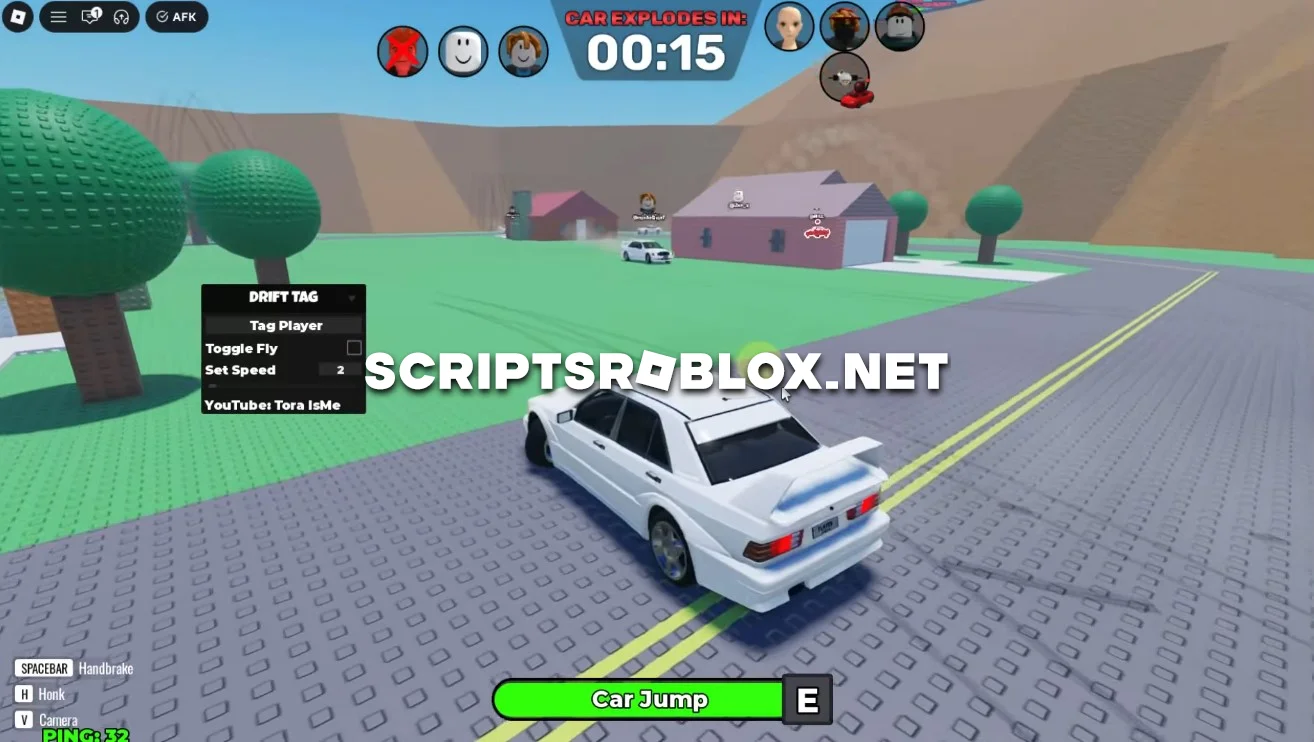
On this page you can copy the latest working Drift Tag Script for Roblox. It includes powerful features such as Instant Tag, Car Fly and Set Speed, giving you a huge advantage in every match. The script is regularly updated to support the latest version of the game and helps you win more rounds with ease.
About Drift Tag
Drift Tag is a fast-paced Roblox game where players drive cars while trying to avoid receiving a bomb or quickly pass it to someone else before the timer expires. Quick reflexes, good driving skills and smart maneuvers are essential for survival in this game.
Drift Tag Script Features
This script provides several useful features that make both attacking and escaping much easier.
Instant Tag
Instantly pass the bomb to any player on the server with a single click. Instead of chasing opponents, you can quickly transfer the bomb and dramatically increase your chances of surviving each round.
Car Fly
Car Fly allows your vehicle to fly above the map, making it much harder for other players to reach you. It's an excellent way to escape dangerous situations and avoid players carrying the bomb.
Set Speed
Customize your vehicle's speed to move much faster than normal. Higher speed makes it easier to dodge opponents, escape from the bomb carrier and quickly reach safe areas.
Why Use This Drift Tag Script?
Instead of relying only on driving skills, this script gives you powerful tools to control every match. Instantly pass the bomb to another player, escape using Car Fly and outrun opponents with increased speed. These features make surviving rounds much easier and significantly improve your chances of winning.
loadstring(game:HttpGet("https://raw.githubusercontent.com/gumanba/Scripts/refs/heads/main/DriftTag", true))()Supported Executors
You can execute this script using one of the supported Roblox executors below.
How to Use This Script
- Download and install a trusted executor.
- Open Roblox and join the game.
- Launch the executor on your Mobile Phone / Emulator.
- Paste the script code into the executor.
- Press Execute and enjoy the new features.
Tip: Always use trusted executors to avoid errors or bans.
Comments 0