
San Diego Border Roleplay Script - Auto Farm Cash
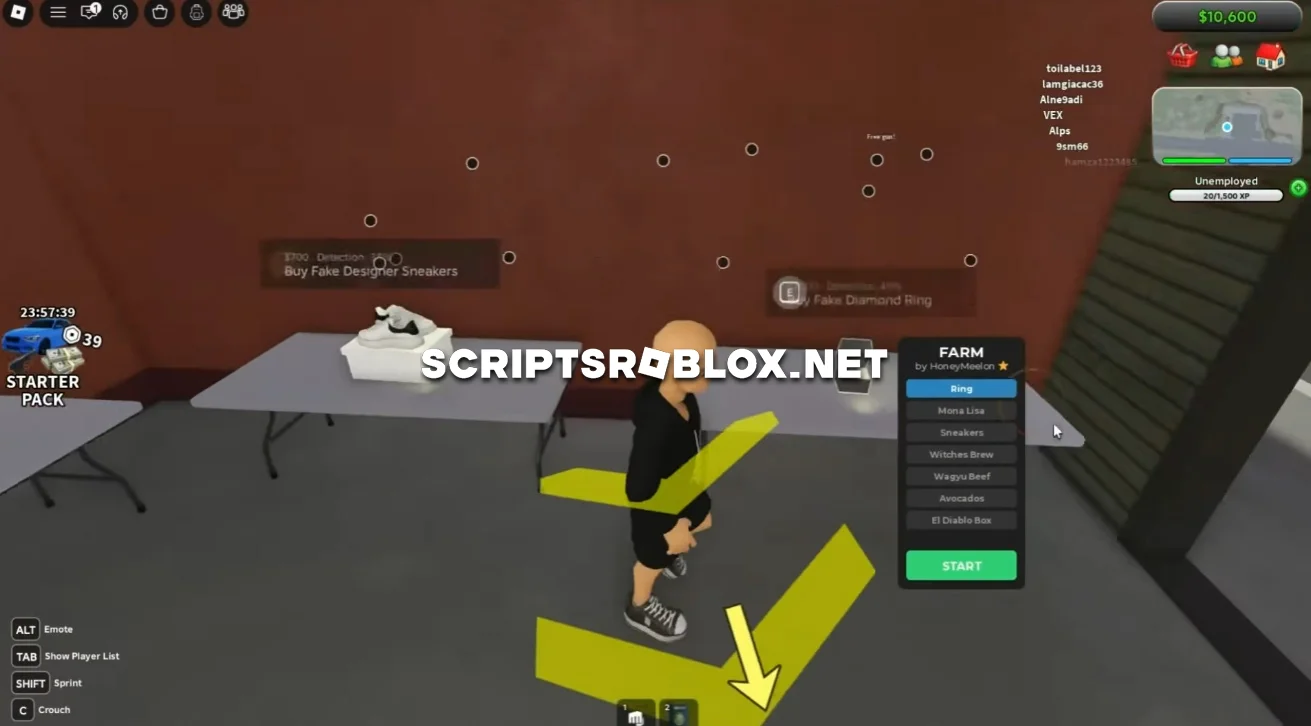
Dear fans of the Roblox game San Diego Border, on this page we’ll introduce you to a free, simple script that will make earning money easier. It features an “Auto Farm Cash” function that allows you to automatically buy selected items and sell them at a higher price. The script handles the entire process, allowing you to earn a large amount of Cash in just a few minutes.
About San Diego Border Roleplay
San Diego Border Roleplay is a Roblox roleplay game where you can explore the map, visit different locations and interact with other players. The game also has its own economy, where you can buy different items and sell them to earn Cash.
San Diego Border Roleplay Script Features
Auto Farm Cash
The main feature of the script is Auto Farm Cash. You can choose one of 7 available items:
- Ring
- Mona Lisa
- Sneakers
- Witches Brew
- Wagyu Beef
- Avocados
- El Diablo Box
After selecting an item and pressing Start, your character will automatically move around the map, purchase the selected item and then sell it for a higher price.
This process repeats automatically, allowing you to farm a large amount of Cash without having to manually travel between locations, buy items or sell them. With the Auto Farm running for just a few minutes, you can accumulate enough money for various purchases and upgrades.
loadstring(game:HttpGet("https://pastebin.com/raw/kbNcNw9B"))()Supported Executors
You can execute this script using one of the supported Roblox executors below.
How to Use This Script
- Download and install a trusted executor.
- Open Roblox and join the game.
- Launch the executor on your Mobile Phone / Emulator.
- Paste the script code into the executor.
- Press Execute and enjoy the new features.
Tip: Always use trusted executors to avoid errors or bans.
Comments 0