
Anime Dice Script (2026) - Free Auto Farm GUI
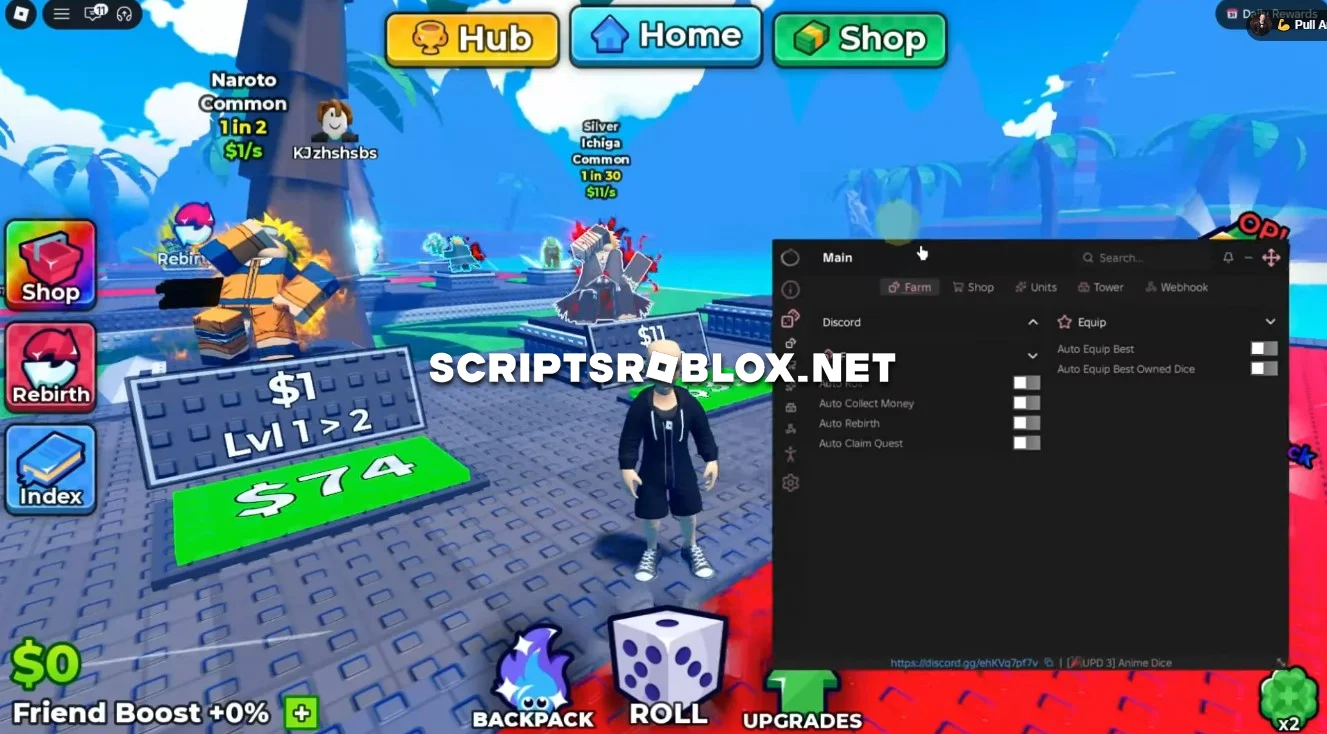
We’re excited to introduce a new script from the talented developers at Ouroboros Hub for the Roblox game Anime Dice. The script works great, has a ton of useful features, and doesn’t require a key to activate. Plus, it will be updated in the future with even more features.
About Anime Dice
Anime Dice is a Roblox simulator where players roll dice, collect money and get different Anime-themed rewards. As you progress, you can obtain better Dice, complete quests, rebirth and improve your collection. You can also take part in Tower runs and use the Market to get additional items.
The main goal is to get better Dice, increase your rewards and become stronger by constantly upgrading your collection.
Anime Dice Script Features
Auto Roll: Automatically rolls the Dice for you, allowing you to continuously get new rewards without having to roll manually.
Auto Collect Money: Automatically collects available Money around the map, keeping your farming process running without interruptions.
Auto Rebirth: Automatically performs Rebirth when available, helping you continue your progression and increase your farming efficiency.
Auto Claim Quest: Automatically claims available quests and their rewards, so you don't have to collect them manually.
Auto Buy Dice & Market: Automatically purchases available Dice and items from the Market, allowing you to spend your earned currency on new rewards and upgrades.
Auto Tower: Automatically runs the Tower, helping you complete Tower stages and collect additional rewards.
Auto Equip Best: Automatically equips the best available Dice. There is also an option to Auto Equip Best Owned Dice, which equips the best Dice you already own.
The script combines all of these features to automate most of the repetitive tasks in Anime Dice, making it much easier to farm Money, get better Dice and progress through the game.
loadstring(game:HttpGet("https://raw.githubusercontent.com/joustingmatch/Ouroboros/main/loader.lua"))()Supported Executors
You can execute this script using one of the supported Roblox executors below.
How to Use This Script
- Download and install a trusted executor.
- Open Roblox and join the game.
- Launch the executor on your Mobile Phone / Emulator.
- Paste the script code into the executor.
- Press Execute and enjoy the new features.
Tip: Always use trusted executors to avoid errors or bans.
Comments 0