
Slayers 2 Script - Auto Farm Mob, Auto Level, Auto Boss & More
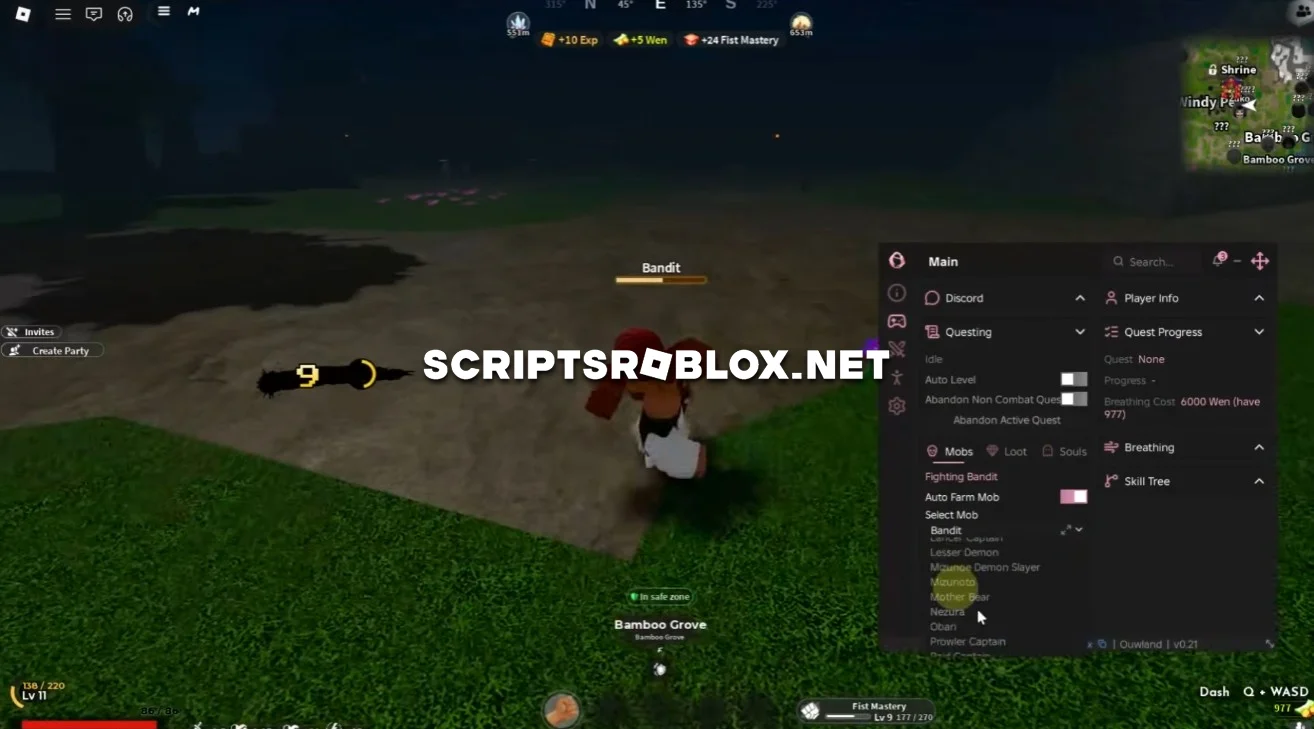
Looking for a simple way to automate your progress in Slayers 2? This script works without a key and can be used on both PC and mobile. It has a convenient graphical interface that makes it easy to enable and configure different features directly in the game.
The Slayers 2 Script includes Auto Level, Auto Farm Mob, Auto Boss, Auto Quest, Auto Chest, Auto Skills, Instant Kill, Fly, Noclip, Speed, Jump, No Stun and other useful options.
About Slayers 2
Slayers 2 is a Roblox game which features the player battling mobs and completing quests in order to level up the character. The farther you go, the higher the level of mobs and bosses you can defeat, earning rewards and upgrading skills.
Quests, battles, and discovering various locations is a key aspect of the game, whereas leveling up enables further development of abilities.
Slayers 2 Script Features
Auto Level automatically helps you gain experience and level up your character. Auto Farm Mob searches for mobs and attacks them automatically, making it easier to farm EXP and rewards.
Auto Boss automatically fights selected bosses. Auto Quest handles available quests automatically, so you can continue farming without completing every step manually.
Auto Chest automatically collects Chests around the map. Auto Skills automatically uses your available skills during combat.
Instant Kill allows you to defeat enemies much faster. No Stun prevents your character from being stunned during combat, making farming more consistent.
With Fly ability you can fly on the map, with Noclip - walk through any objects and walls. Speed will make you run faster, and Jump makes you jump higher.
The script also includes other features for combat, farming, movement and progression in Slayers 2.
loadstring(game:HttpGet("https://raw.githubusercontent.com/joustingmatch/Ouroboros/main/loader.lua"))()Supported Executors
You can execute this script using one of the supported Roblox executors below.
How to Use This Script
- Download and install a trusted executor.
- Open Roblox and join the game.
- Launch the executor on your Mobile Phone / Emulator.
- Paste the script code into the executor.
- Press Execute and enjoy the new features.
Tip: Always use trusted executors to avoid errors or bans.
Comments 0