
Grow a Garden Script (Moma Hub): Auto Farm GUI
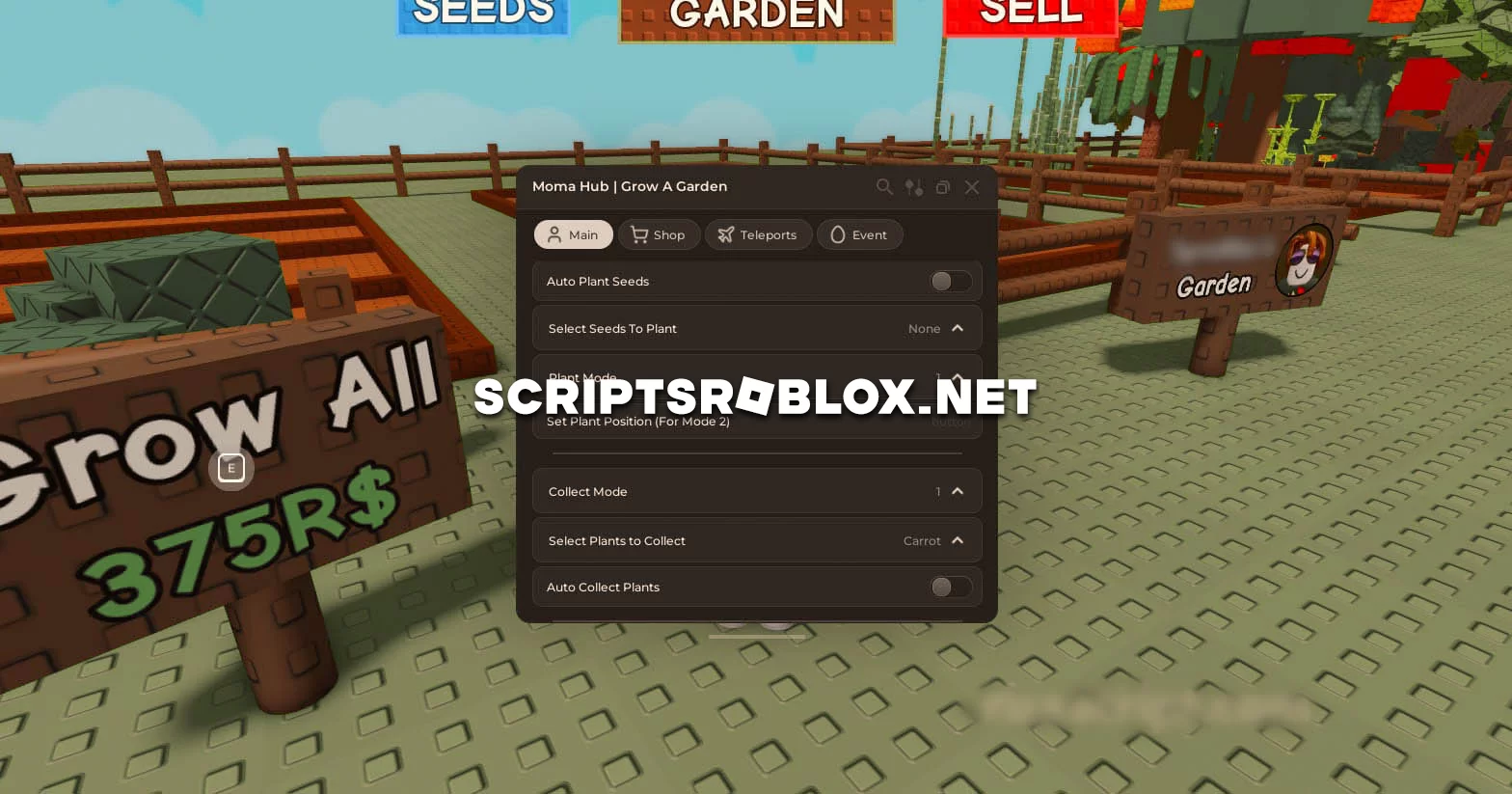
We present you another script for Grow a Garden, the game is recently becoming more popular and scripts are becoming more and more, one of them you will be presented on this page. The script called Moma Hub in general does not differ from the others, it also has a graphical interface and the most necessary Auto Farm functions, such as Auto Plant Seeds, Auto Collect Plants, Shop, Teleports and others. In general, if this script does not suit you, you will find many other great scripts on the Grow a Garden Scripts page. Choose the best one for you and make your game more interesting.
💻 Script Code
loadstring(game:HttpGet("https://raw.githubusercontent.com/n3xkxp3rl/Moma-Hub/refs/heads/main/Loader.lua"))()Supported Executors
You can execute this script using one of the supported Roblox executors below.
How to Use This Script
- Download and install a trusted executor.
- Open Roblox and join the game.
- Launch the executor on your Mobile Phone / Emulator.
- Paste the script code into the executor.
- Press Execute and enjoy the new features.
Tip: Always use trusted executors to avoid errors or bans.
Report
Comments 0