
99 Nights in the Forest Script (AtherHub) - God Mode, Kill Aura & More
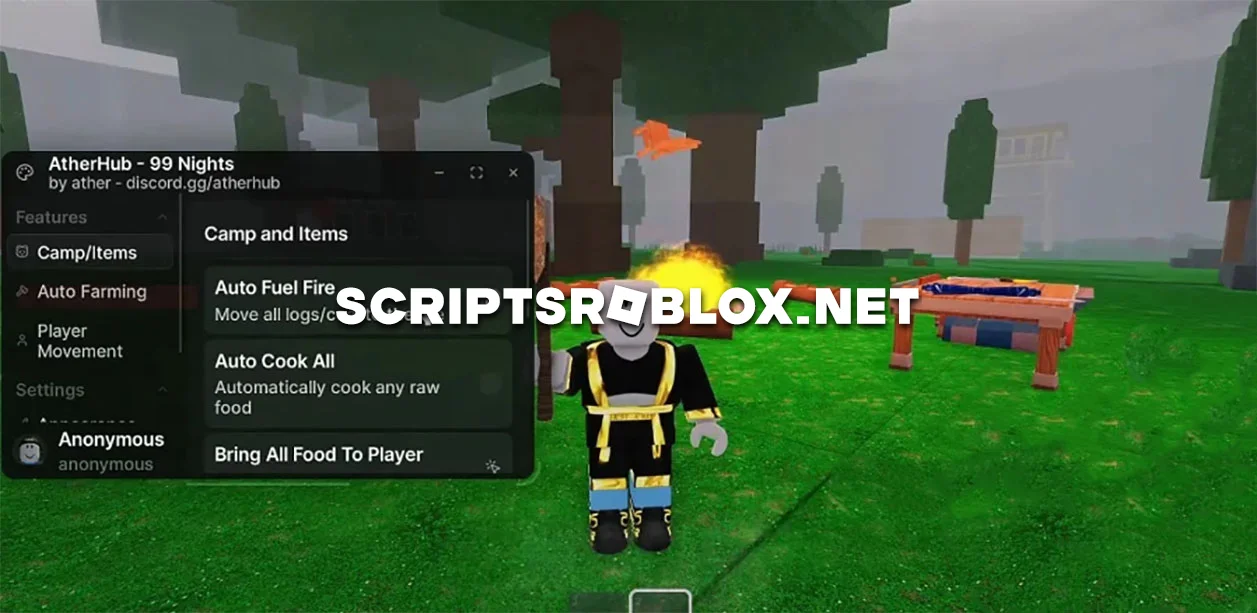
99 Nights in the Forest is a game where survival is everything. Every night becomes more dangerous, monsters become more aggressive, and resources are constantly in short supply. If you're tired of starting from scratch over and over again or spending a lot of time searching for the items you need, we've found the Atherhub script for you, which really makes life in the forest easier.
The main purpose of this script is to automate the tasks that have to be performed every night. Using Auto Farm, your character will steadily chop down all the trees around them, collect diamonds, items, and other resources for survival. Cooking food takes a back seat with the AtherHub script, as your character will throw fuel on the fire, roast meat, and bring all the food from across the map. If you need a specific item, just select it and press the button in the script menu, and it will instantly appear nearby.
In situations where you need to defend your base from deer or other players, the AtherHub script also performs excellently. The Auto Kill All Enemies function quickly clears the area of monsters, and God Mode prevents you from taking damage. To move around, there are teleports to the campfire and all children, as well as speed and jump settings.
The script is perfect for both beginners and those who are tired of constantly trying to get further. It makes the game much more comfortable and dynamic.
99 Nights in the Forest AtherHub Features
- Auto Fuel Fire
- Auto Cook Food
- Auto Farm All Trees
- Auto Kill All Enemies
- Auto Plant Saplings
- Bring All Food to Player
- Bring All Scrap to Player
- Select Item to Bring to Player
- Tp to fire
- Tp to all kids
- Player Speed
- Jump Height
- God Mode
script_key = "Add key here to auto verify"
loadstring(game:HttpGet("https://api.luarmor.net/files/v3/loaders/2529a5f9dfddd5523ca4e22f21cceffa.lua"))()
Supported Executors
You can execute this script using one of the supported Roblox executors below.
How to Use This Script
- Download and install a trusted executor.
- Open Roblox and join the game.
- Launch the executor on your Mobile Phone / Emulator.
- Paste the script code into the executor.
- Press Execute and enjoy the new features.
Tip: Always use trusted executors to avoid errors or bans.
Comments 0