
Grow a Garden 2 Script GUI - Auto Farm, Auto Sell & More
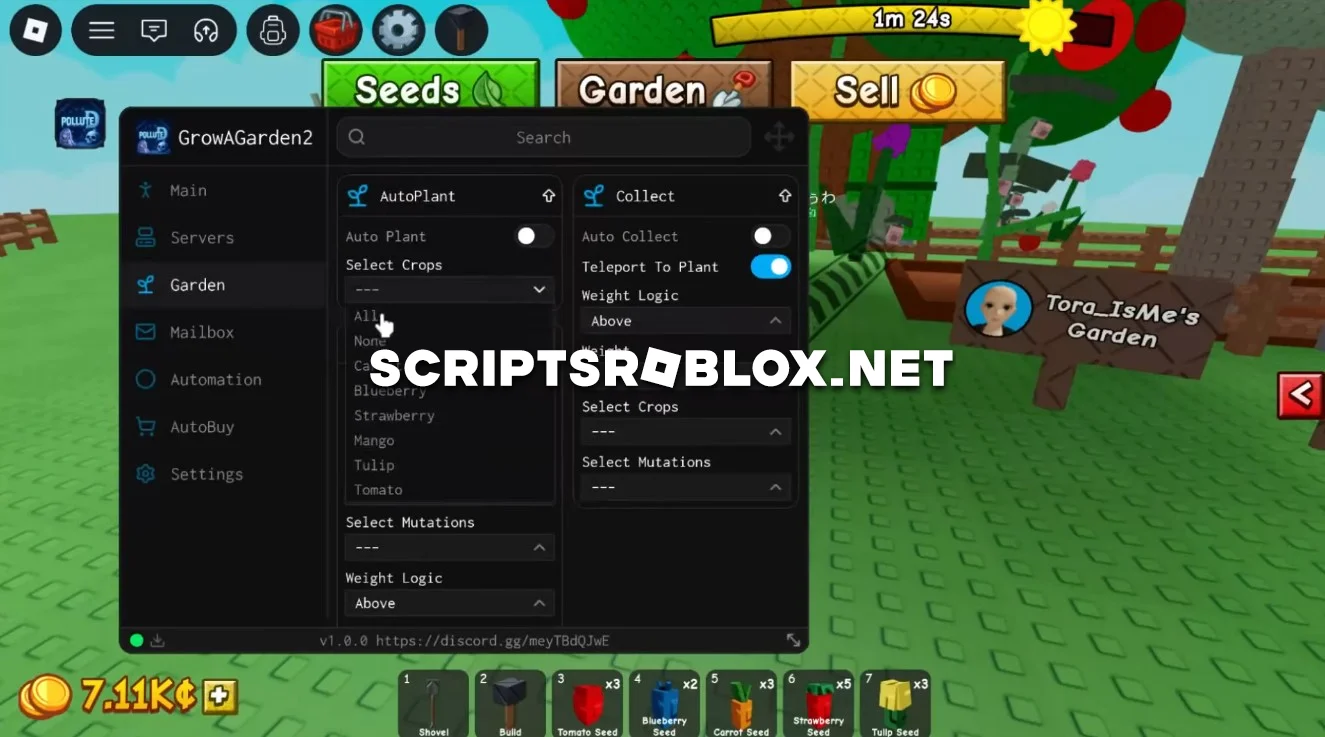
We’re pleased to present another high-quality script for Grow a Garden 2, which includes a wide range of auto-farming features designed to significantly speed up the development of your farm. It will plant the crops, harvest them, clear the weeds, pick up the fallen crops, and teleport to fully grown crops.
The script will also purchase all the required items, sell the harvested crop, and expand the farm as money increases.
Thanks to its wide range of features, the script handles almost all the main tasks on the farm, helping you earn money and grow faster. The script is well-designed, runs smoothly, and does not require an activation key.
💻 Script Code
loadstring(game:HttpGet("https://api.luarmor.net/files/v4/loaders/e8580ba6e94aeaa7aa2486f060167f85.lua"))()Supported Executors
You can execute this script using one of the supported Roblox executors below.
How to Use This Script
- Download and install a trusted executor.
- Open Roblox and join the game.
- Launch the executor on your Mobile Phone / Emulator.
- Paste the script code into the executor.
- Press Execute and enjoy the new features.
Tip: Always use trusted executors to avoid errors or bans.
Report
Comments 0