
Throw a Coin Script (2026) - Auto Throw 100%, Sell All & More
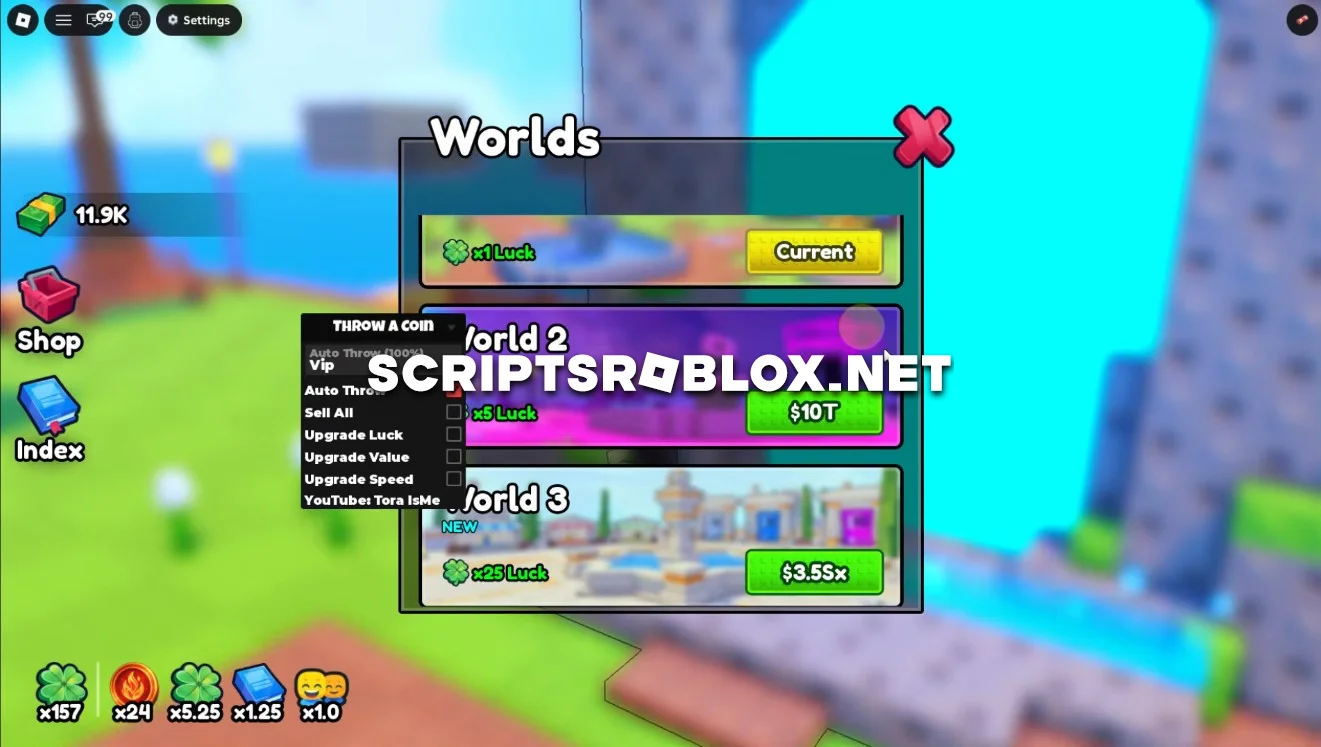
On this page, you can copy the latest script for the Roblox game Throw a Coin. It includes useful features for automatic farming and fast leveling: Auto Throw (100%), Sell All, Upgrade Luck, Value, Speed, and much more. The script is updated regularly and helps significantly speed up your progress without having to perform repetitive actions manually.
What Do You Do in Throw a Coin?
In Throw a Coin, players will have the chance to play around with some real Roblox coins as they play the game by throwing some coins in the game and making money as well as upgrading their own character’s level.
Throw a Coin Script Features
The script automates the most important gameplay processes, allowing your character to earn money and purchase upgrades on its own.
Auto Throw (VIP & Normal)
Automatically performs coin tosses in both the Normal and VIP zones. The script automatically uses the selected farming area, ensuring a continuous flow of in-game currency and saving you from having to constantly perform tosses manually.
Sell All
Автоматически продаёт все накопленные монеты, чтобы вы постоянно получали игровую валюту и не тратили время на ручную продажу.
Auto Upgrade
Самостоятельно покупает доступные улучшения по мере накопления денег, ускоряя развитие вашего персонажа.
Upgrade Luck, Value & Speed
Automatically improves Luck, Value, and Speed, increasing the chance of receiving more valuable rewards and boosting the profit from each roll.
FAQ
Is the script free?
Yes. All Throw a Coin scripts on our website are available completely free of charge.
Does it work after game updates?
Yes. We try to update the scripts as quickly as possible after new updates are released.
Is the mobile version of Roblox supported?
Most scripts work on both PC and Android/iOS when using a compatible Roblox Executor.
loadstring(game:HttpGet("https://raw.githubusercontent.com/gumanba/Scripts/main/ThrowaCoin"))()Supported Executors
You can execute this script using one of the supported Roblox executors below.
How to Use This Script
- Download and install a trusted executor.
- Open Roblox and join the game.
- Launch the executor on your Mobile Phone / Emulator.
- Paste the script code into the executor.
- Press Execute and enjoy the new features.
Tip: Always use trusted executors to avoid errors or bans.
Comments 0