
Greedy Growers Script - Auto Farm, Auto Buy Seeds & More
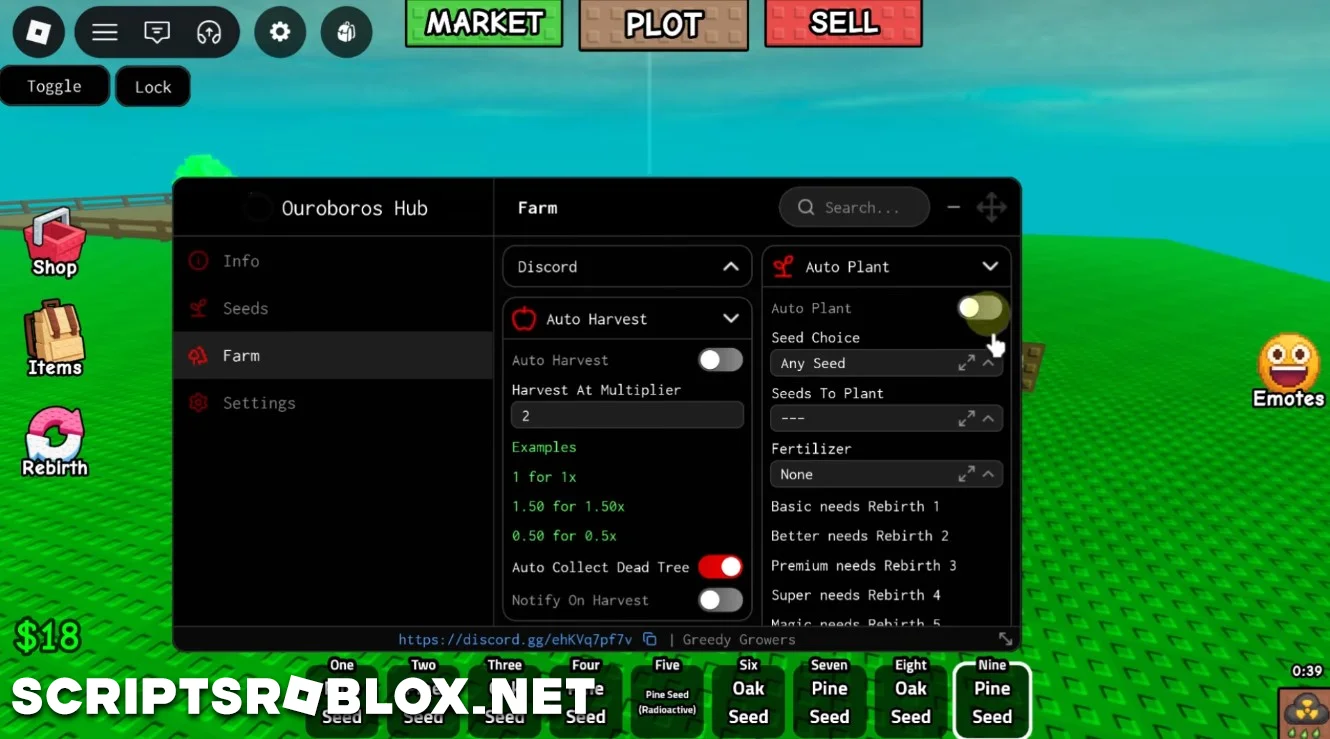
On this page you can copy the latest working Greedy Growers Script for Roblox. It includes powerful automation features such as Auto Harvest, Auto Plant, Auto Sell, Auto Collect Fruit, Auto Collect Dead Tree, Auto Buy Seeds, Auto Buy Furniture and more. This script is constantly updated and will help you grow your farm very quickly.
About Greedy Growers
Greedy Growers is a Roblox farming simulator where players plant seeds, grow fruit trees, harvest crops and sell their produce to earn money. As your farm expands, you can purchase better seeds, decorate your land with furniture and unlock more profitable farming opportunities.
Greedy Growers Script Features
This script automates nearly every farming activity, allowing your farm to continue growing while you focus on upgrading and expanding.
Auto Farm
The Auto Farm system combines several useful features into one automated process. It can automatically harvest ripe crops, plant selected seeds, collect fruit from trees and remove dead trees to keep your farm productive at all times.
Auto Sell
Automatically sells your harvest whenever needed. You can choose to sell Fruits Only, Trees Only or Everything, depending on how you want to manage your farm.
Auto Buy Seeds & Furniture
It automatically buys fresh seeds for you so that you never miss a planting session. This script also helps in buying furniture so that you can easily decorate and customize your farm.
Script Updates
We regularly test and update our Greedy Growers scripts after new game patches. Whenever the game receives an update, we aim to publish a working version as quickly as possible.
FAQ
Is this Greedy Growers script free?
Yes. Every Greedy Growers script on our website is available completely free of charge.
Is a key required?
It depends on the script you choose. Some Greedy Growers scripts are keyless, while others may use a key system.
Which executor should I use?
You can use any compatible Roblox executor that supports the latest version of the game.
loadstring(game:HttpGet("https://raw.githubusercontent.com/joustingmatch/Ouroboros/main/loader.lua"))()Supported Executors
You can execute this script using one of the supported Roblox executors below.
How to Use This Script
- Download and install a trusted executor.
- Open Roblox and join the game.
- Launch the executor on your Mobile Phone / Emulator.
- Paste the script code into the executor.
- Press Execute and enjoy the new features.
Tip: Always use trusted executors to avoid errors or bans.
Comments 0