
Dig & Clean Script - Auto Farm, Instant Clean, Find Rarity & More
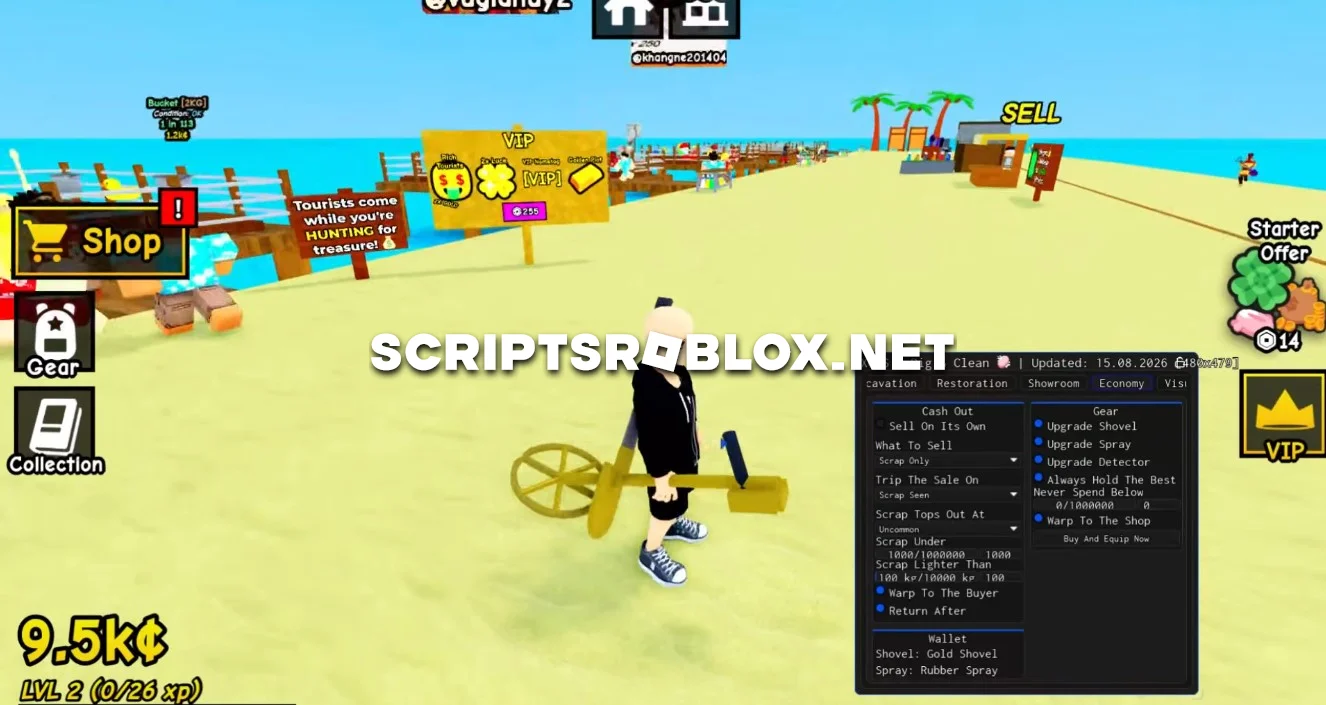
Dear visitors, on this page you can download a free, up-to-date XGRS script for Dig & Clean. It includes useful features for automatic digging, finding valuable items, and leveling up quickly: Auto Dig, Find Rarity, Instant Clean, Upgrade Shovel, Upgrade Spray, Upgrade Detector, and more.
About Dig & Clean
Dig & Clean is a Roblox game where you dig things up, find objects, clean them and make money from doing that. With each level of advancement, you can get better equipment – a shovel, a spray and a detector to make your task easier.
Features of the Dig & Clean Script
Auto Dig
Automatically performs excavations for the player. This allows you to continuously find new items and earn in-game currency without having to constantly dig manually.
Find Rarity
Helps you find items of the desired rarity, allowing you to focus on the most valuable finds and make farming more efficient.
Instant Clean
Instantly cleans found items, significantly speeding up the processing time and allowing you to receive rewards faster.
Upgrade Shovel / Spray / Detector
Automatically upgrades the player’s main tools—the shovel, spray, and detector. This allows you to find and process items faster, as well as progress through the game more efficiently.
The script also includes other features that help automate gameplay and speed up character progression.
loadstring(game:HttpGet("https://api.xgrs.lol/storage/xgrs-loader"))()Supported Executors
You can execute this script using one of the supported Roblox executors below.
How to Use This Script
- Download and install a trusted executor.
- Open Roblox and join the game.
- Launch the executor on your Mobile Phone / Emulator.
- Paste the script code into the executor.
- Press Execute and enjoy the new features.
Tip: Always use trusted executors to avoid errors or bans.
Comments 0