
Heavyweight Fishing Script - Auto Farm, Auto Buy & More
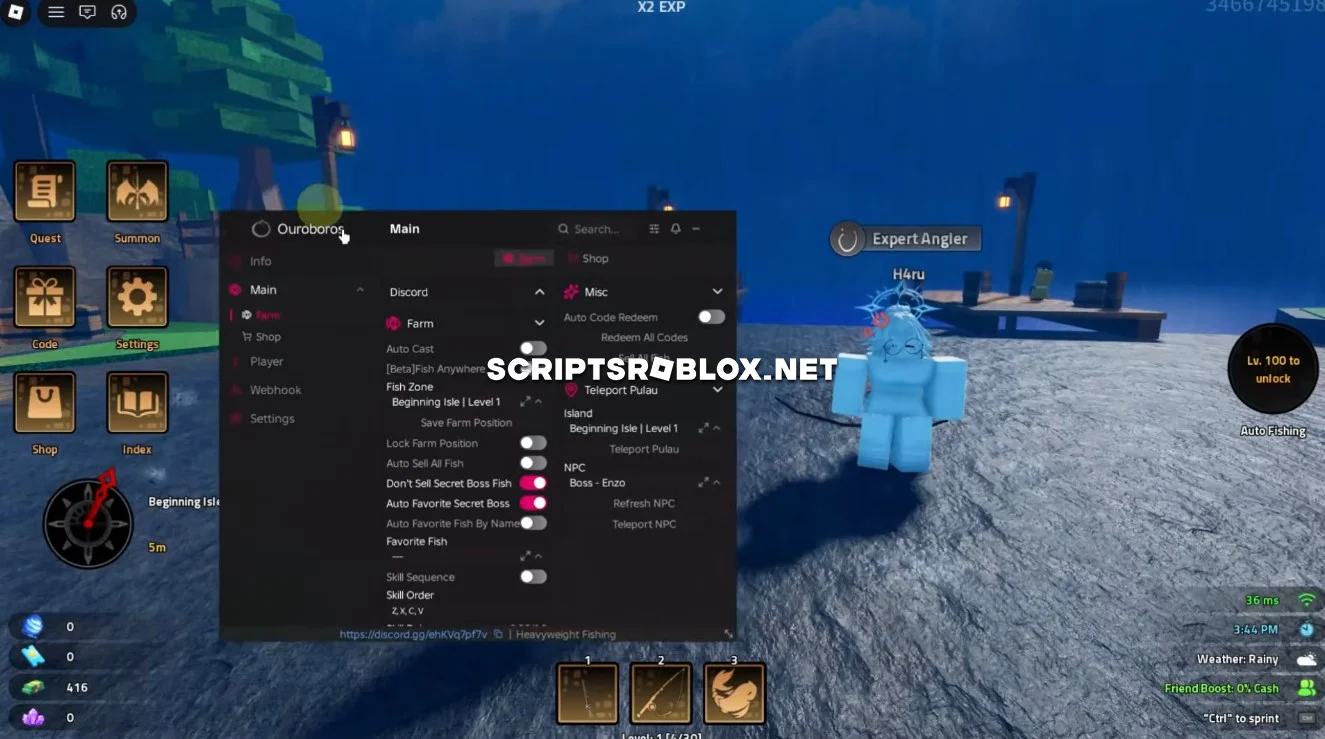
On this page you can copy the latest working Heavyweight Fishing Script for Roblox. It includes useful features such as Auto Fishing, Redeem All Codes, Sell All Fish, Auto Buy Best Rod, Best Bait, Best Skill, Walk Speed, Jump Power and more. All of its features are controlled through a user-friendly graphical interface; in the screenshot, you can see just how many settings you can customize.
About Heavyweight Fishing
Heavyweight Fishing is an online fishing game available on Roblox. In this game, the players catch fish and sell the fish in order to earn money, which is then used to upgrade the fishing tools such as the Rod, Bait, and Skills.
Heavyweight Fishing Script Features
Auto Fishing: Automatically performs the entire fishing procedure so that you can go on catching fishes without manually doing everything. This way it becomes easy for you to earn some extra money.
Redeem All Codes: Automatically uses all the game codes that are available so that you can receive some gifts without needing to type them.
Sell All Fish: Automatically sells all the fish that have been caught by you so that you can get some money from it and continue fishing.
Auto Buy: The Auto Buy system can automatically purchase the Best Rod, Best Bait and Best Skill available. This allows you to keep improving your fishing setup as you earn more money.
Walk Speed & Jump Power: Has added options to adjust Walk Speed and Jump Power and become able to move around the fishing zones more easily.
In addition, there are some other useful options that will simplify fishing and progression in Heavyweight Fishing significantly.
loadstring(game:HttpGet("https://raw.githubusercontent.com/joustingmatch/Ouroboros/main/loader.lua"))()Supported Executors
You can execute this script using one of the supported Roblox executors below.
How to Use This Script
- Download and install a trusted executor.
- Open Roblox and join the game.
- Launch the executor on your Mobile Phone / Emulator.
- Paste the script code into the executor.
- Press Execute and enjoy the new features.
Tip: Always use trusted executors to avoid errors or bans.
Comments 0