
Ball VS Ball Script (2026) - Auto Play, Auto Queue, Aim & More
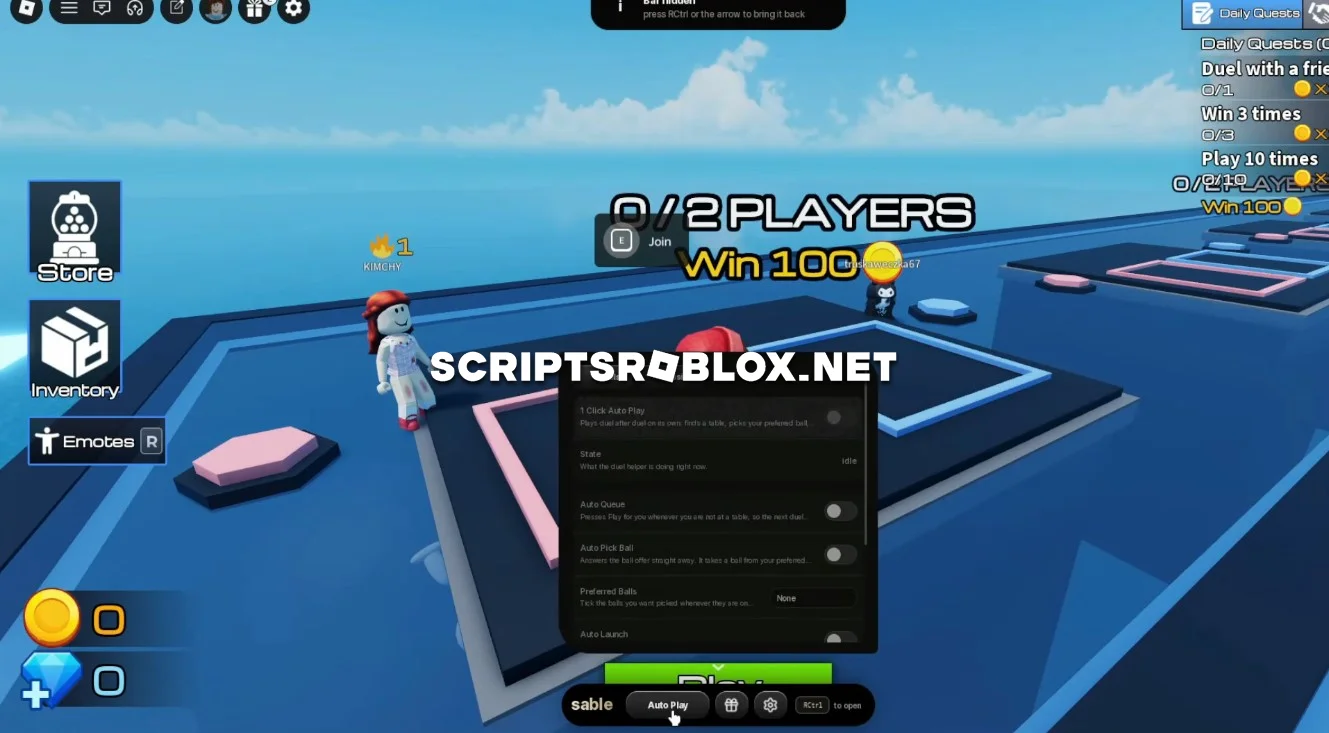
For fans of the Roblox game Ball VS Ball, we’ve found a great script that will help you spend less time manually playing through matches. The script will automate many game procedures and will assist you in the progress without any extra efforts. It’s designed for regular matches, duels, and daily challenges, and thanks to its simple interface, it’s easy to control the script and configure the settings you need.
It operates in Roblox and may become helpful for you when you have to repeat the same actions or gather daily rewards while you are not playing.
About Ball VS Ball
Ball VS Ball is a Roblox game featuring ball battle competitions. Users can play Matches and Duels, select their Ball, and compete with other users.
There are also some other tasks and challenges that users get rewarded for completing while playing this game.
Ball VS Ball Script Features
Auto Play automatically plays matches for you. In Duels, 1 Click Auto Play lets you start automated gameplay with a single click.
Auto Queue automatically joins the queue for the next Duel. Auto Pick Ball automatically selects a Ball, while Auto Launch handles launching it during matches. Aim helps with aiming your shots automatically.
Leave Table allows you to automatically leave the current table when needed.
Auto Daily Check In automatically claims your daily check-in reward. Auto Claim Daily Quests collects completed daily quest rewards without requiring you to do it manually.
Claim Everything Now allows you to quickly claim available rewards at once. Anti AFK keeps your character active and prevents automatic disconnection while you are away.
loadstring(game:HttpGet("https://raw.githubusercontent.com/raphaelmaboi/wayout/refs/heads/main/loader.lua"))()Supported Executors
You can execute this script using one of the supported Roblox executors below.
How to Use This Script
- Download and install a trusted executor.
- Open Roblox and join the game.
- Launch the executor on your Mobile Phone / Emulator.
- Paste the script code into the executor.
- Press Execute and enjoy the new features.
Tip: Always use trusted executors to avoid errors or bans.
Comments 0