
Anime Zero Script - Auto Farm, Auto Skills, Auto Join & More
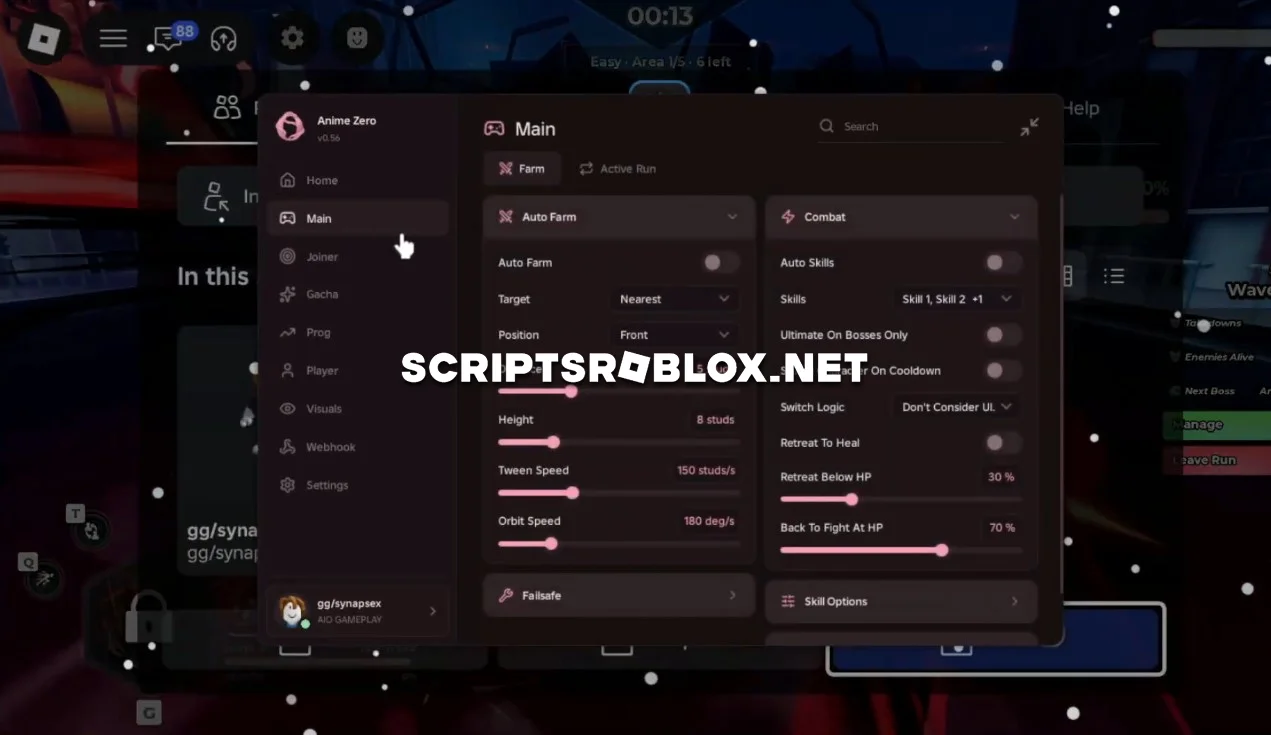
We're sharing one of the best scripts on Anime Zero with you on this page. The script was developed by Ouroboros, who included all the essential features - they're easy to customize via the graphical interface and work reliably on all Roblox platforms. This script will allow you to automate the process of leveling up in Anime Zero. This script will facilitate the battle against enemies, the use of abilities, and the awarding of prizes.
About Anime Zero
Anime Zero is a Roblox anime-style game where players fight enemies, develop their characters and unlock new abilities. You can complete activities, improve your skills, collect rewards and craft accessories to increase your power.
By progressing in the game, the player will be able to move from one zone to another, battle more powerful monsters and advance the capabilities of his character.
Anime Zero Script Features
- Auto Farm automatically farms enemies to help you gain rewards and progress through the game. Auto Skills uses available abilities automatically during combat, making it easier to defeat mobs.
- Auto Join automatically joins available activities or matches. Auto Delivery automates delivery tasks, helping you complete them without repeating every action manually.
- Auto Skill Tree automatically handles available Skill Tree upgrades, helping you improve your character's abilities. Auto Daily Reward collects daily rewards automatically.
- Auto Craft Accessories automates accessory crafting, making it easier to obtain equipment and improve your character.
- Mob ESP highlights mobs around the map so you can find enemies more easily. Full Bright improves visibility in darker areas, while FOV lets you adjust the field of view.
The script also includes other features for farming, combat, upgrades and progression in Anime Zero.
loadstring(game:HttpGet("https://raw.githubusercontent.com/joustingmatch/Ouroboros/main/loader.lua"))()Supported Executors
You can execute this script using one of the supported Roblox executors below.
How to Use This Script
- Download and install a trusted executor.
- Open Roblox and join the game.
- Launch the executor on your Mobile Phone / Emulator.
- Paste the script code into the executor.
- Press Execute and enjoy the new features.
Tip: Always use trusted executors to avoid errors or bans.
Comments 0