
+1 Stone Skipping Script - Auto Train, Auto Throw & More
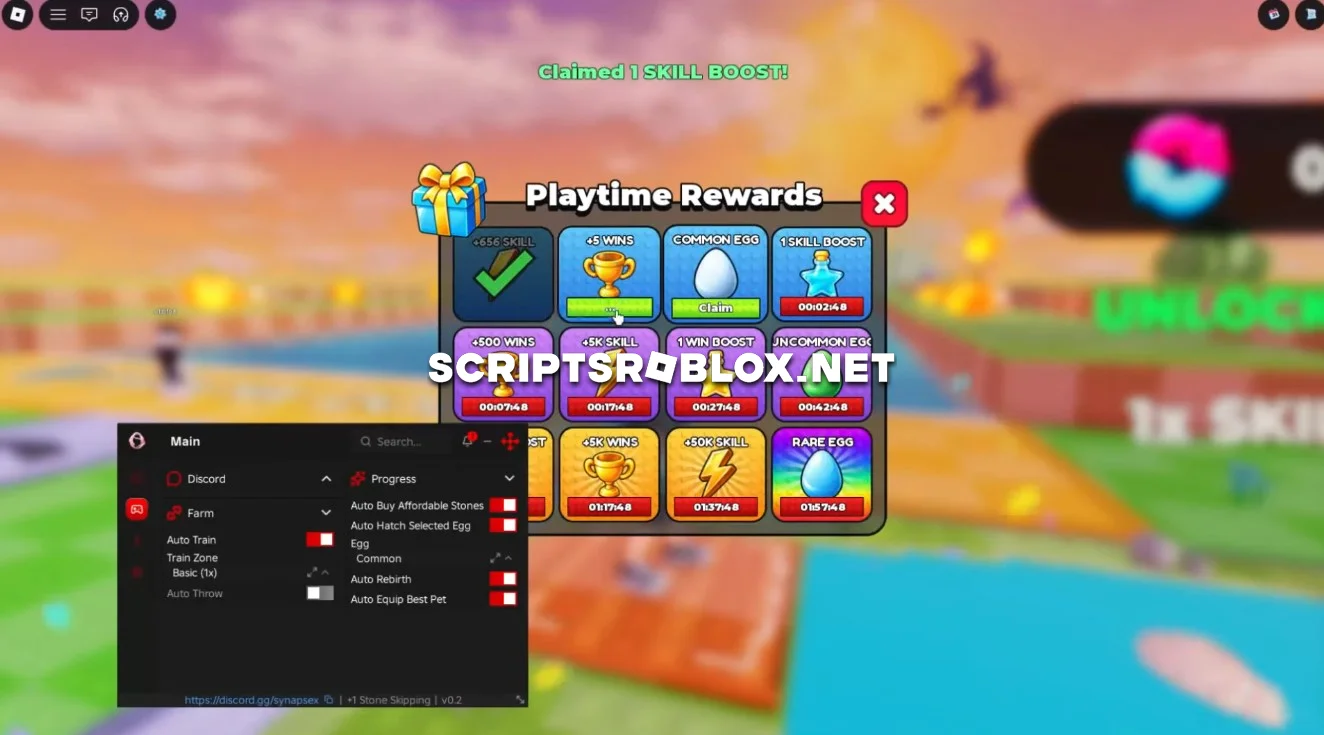
Want to improve your throwing distance and progress faster in +1 Stone Skipping? This script automates training, throwing and pet management to help you earn better results with less manual effort.
The script works without a key and is compatible with many Roblox injectors on both PC and Android. Its convenient interface lets you configure the available features and select the training zone that suits your progress.
About +1 Stone Skipping
+1 Stone Skipping is a Roblox game where players train to throw stones farther and improve their performance. You can unlock different stones, use training zones with different multipliers, hatch Eggs to get Pets and upgrade your progress.
As you advance, you can access better training areas, purchase stronger stones and equip Pets to improve your results.
+1 Stone Skipping Script Features
The script includes Auto Throw and Auto Train to automate throwing and training. With Train Zone, you can select from several zones with different multipliers: Basic (1x), Rare Jade (4x), Epic Crystal (10x), Legendary Celestial (20x), Golden (15x) and Hacker (50x).
You can also use Auto Buy Affordable Stones to purchase stones you can afford, Auto Hatch Selected Egg to hatch your chosen Egg and Auto Equip Best Pet to equip your strongest available Pet.
For movement, the script offers Fly, Walk Speed, Infinite Jump and Noclip, giving you more freedom to move around the map.
These features combine training, throwing, purchases, Pet management and movement options in one script, helping you automate your progress in +1 Stone Skipping.
loadstring(game:HttpGet("https://raw.githubusercontent.com/joustingmatch/Ouroboros/main/loader.lua"))()Supported Executors
You can execute this script using one of the supported Roblox executors below.
How to Use This Script
- Download and install a trusted executor.
- Open Roblox and join the game.
- Launch the executor on your Mobile Phone / Emulator.
- Paste the script code into the executor.
- Press Execute and enjoy the new features.
Tip: Always use trusted executors to avoid errors or bans.
Comments 0