
raise a floppa 2 Script: Click Floppa, Collect Money & More
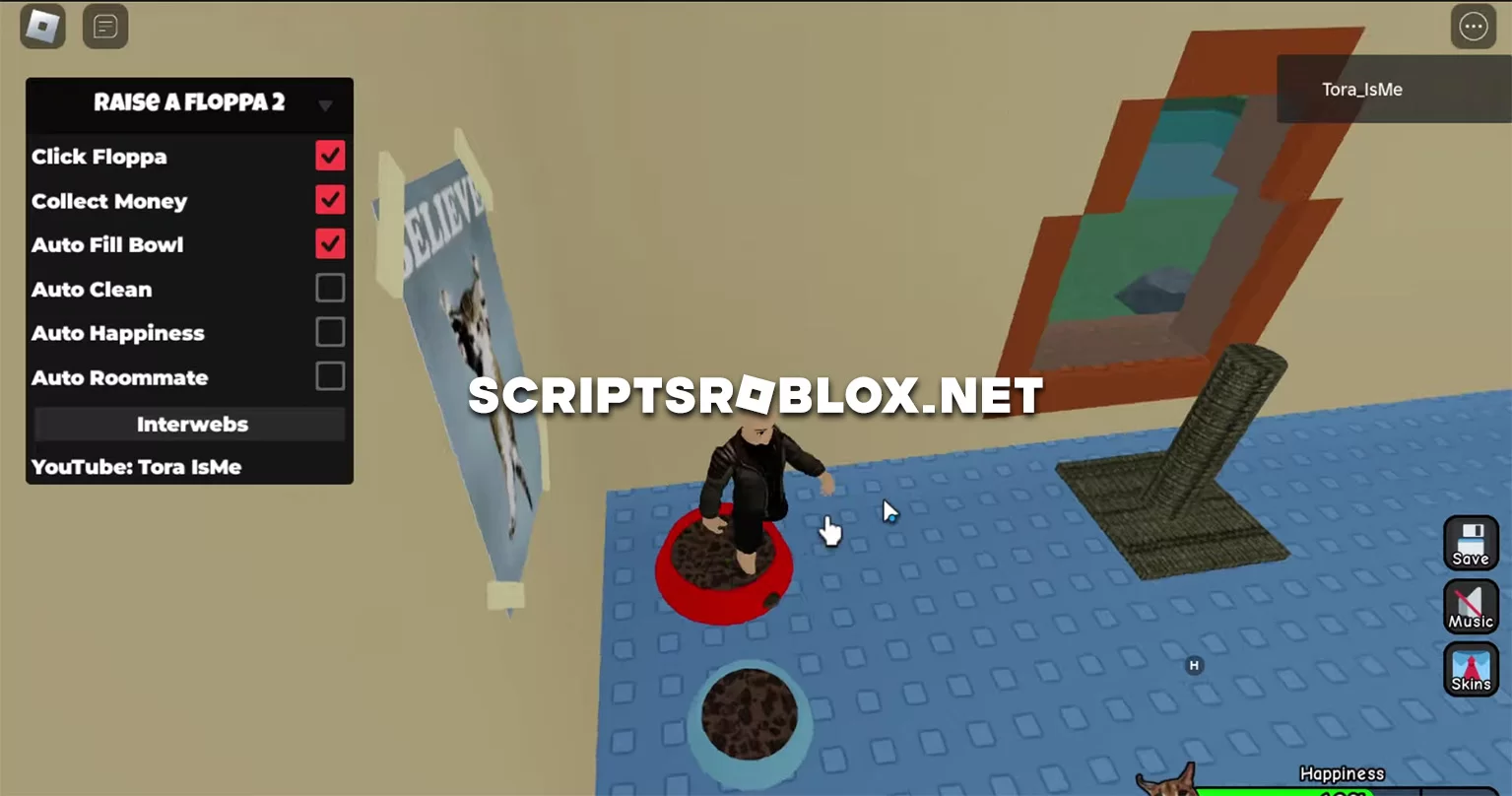
Surprisingly for the first time we publish a script on Roblox raise a floppa 2, it is brand new and will work for a long time. The script has many functions and a graphical interface for their management, developed by its author ToraIsMe, by the way the review of this script you can find on his YouTube channel. Below is the whole list of functions and their purpose.
- Click Floppa: Automatically clicks on the Floppa character, which likely generates some form of in-game currency or resource.
- Collect Money: Automatically collects money generated by the Floppa or other in-game activities.
- Auto Fill Bowl: Automatically fills the food bowl for the Floppa, ensuring it is always fed without player intervention.
- Auto Clean: Automatically cleans the environment, keeping it tidy and possibly preventing negative consequences from a dirty habitat.
- Auto Happiness: Automatically maintains or increases the happiness level of the Floppa.
- Auto Roommate: Automatically manages the roommate, which could involve tasks like paying rent or performing actions for the player.
💻 Script Code
loadstring(game:HttpGet("https://raw.githubusercontent.com/ToraScript/Script/main/RaiseaFloppa2", true))()Supported Executors
You can execute this script using one of the supported Roblox executors below.
How to Use This Script
- Download and install a trusted executor.
- Open Roblox and join the game.
- Launch the executor on your Mobile Phone / Emulator.
- Paste the script code into the executor.
- Press Execute and enjoy the new features.
Tip: Always use trusted executors to avoid errors or bans.
Report
Comments 0