
Grow a Garden Script (FFJ Hub): Auto Farm, Auto Buy, Sell All & More
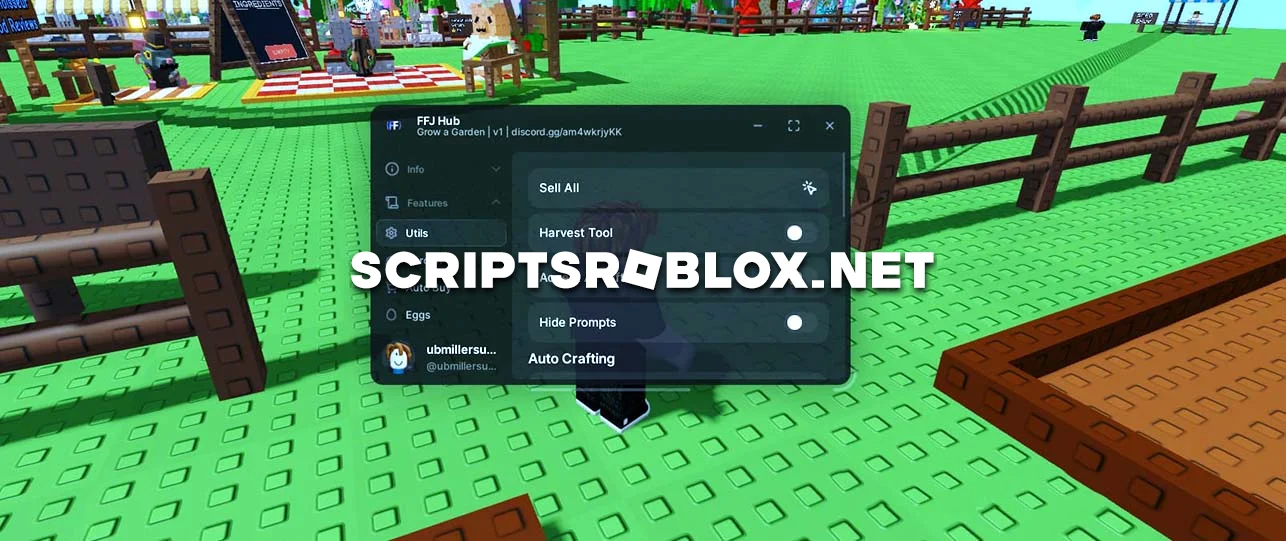
Dear visitors, many scripts on Grow a Garden from our website are outdated and no longer work, as their authors do not update them. With this in mind, we try to publish new scripts so that you always have a choice. On this page, you can access a free script from FFJ Hub with many useful features, including Auto Farm, Auto Plant, Sell All, Harvest Tool, Accept All Gifts, Auto Buy, Eggs, and others. These features can be controlled using its graphical interface, which is standard and black in color. The script can be activated using any injector from our website; you will also find instructions there.
💻 Script Code
loadstring(game:HttpGet("https://raw.githubusercontent.com/FFJ1/Roblox-Exploits/main/scripts/Loader.lua"))()Supported Executors
You can execute this script using one of the supported Roblox executors below.
How to Use This Script
- Download and install a trusted executor.
- Open Roblox and join the game.
- Launch the executor on your Mobile Phone / Emulator.
- Paste the script code into the executor.
- Press Execute and enjoy the new features.
Tip: Always use trusted executors to avoid errors or bans.
Report
Comments 0