How to Fix Roblox Error Code 279 (ID=17)
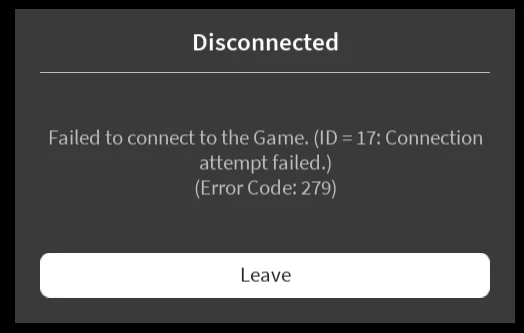
Error 279 in Roblox is one of the most common problems encountered by players on PCs, phones, and tablets. It manifests itself with a message like this: Failed to connect to the Game. (ID = 17: Connection attempt failed.) (Error Code: 279). This means that the Roblox client cannot establish a connection with the game server.
Roblox players often encounter this error, so we decided to publish a complete guide explaining why it happens, how to fix it, and what to do if error 279 keeps reappearing.
Why Does Error 279 Happen in Roblox?
- Unstable internet connection;
- Connection blocked by antivirus software or firewall;
- Old version of the Roblox client;
- Problems on the Roblox servers;
- Browser cache full;
- Problems connecting to a specific game, especially those with custom scripts and a large number of objects.
How to Fix Error Code 279 in Roblox
- Check the status of Roblox servers: go to the official status website status.roblox.com. If technical work is indicated there, just wait for the work to be completed.
- Clear your browser cache: if you play Roblox through a browser, press Ctrl + F5 or manually clear the cache in the settings. Often, a large amount of temporary files causes connection errors.
- Restart your internet and device: turn off Wi-Fi, wait 10-15 seconds, and turn it back on. Also, restart your PC or phone.
- Reinstall Roblox: if you are using the version from the website, try installing Roblox from the Microsoft Store.
- Disable your antivirus or firewall: temporarily disable your antivirus or Windows Defender.
- Change your browser: the error may depend on the browser you are using. It is recommended to run Roblox through Chrome, Edge, or Firefox.
- Reset your network settings: Open the command prompt (cmd) as an administrator and enter: netsh winsock reset. Then restart your computer.
What to do if Error 279 only appears in certain Roblox games?
This means that the error is not global, but local — related to a specific game:
- The server may be overloaded or incorrectly configured;
- Prohibited scripts are being used;
- The map is not optimized (too many objects);
- Try another game — if everything works, the problem is not on your end.
Why does Error 279 appear on mobile?
- Problem with Wi-Fi or mobile data network
- Old version of Roblox
- Device RAM overload
Solutions:
- Update Roblox via Google Play or the App Store
- Clear the app cache
- Restart your phone
If you've tried everything and error 279 in Roblox still persists, the problem is most likely on the game's side. Sometimes servers are overloaded or undergoing maintenance, and the fix is only available over time.