
99 Nights in the Forest Script by SolvexGUI – Powerful Features & Easy UI
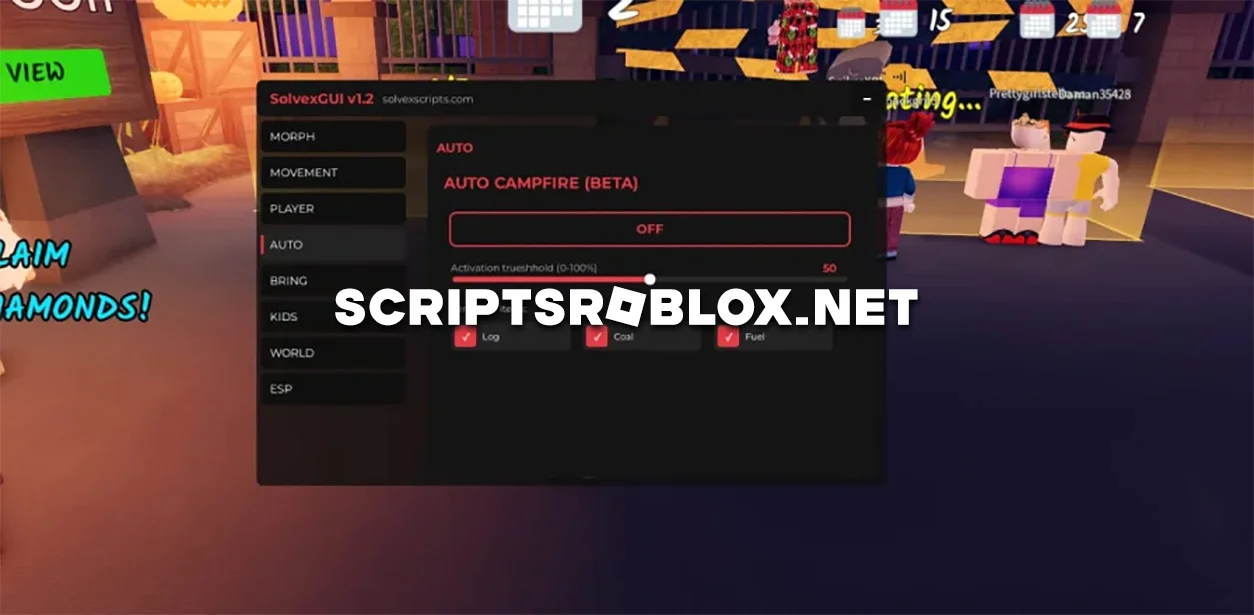
We present a very cool script for 99 Nights in the Forest called Solvex GUI, which will make your survival as comfortable as possible. With it, most functions will be performed by your character in automatic mode. This script opens instantly and works stably on most popular executors. The interface is convenient and intuitive — everything is divided into categories so you can quickly enable the functions you need. This Roblox script for 99 Nights in the Forest is suitable for both beginners and experienced players who want to gain an advantage and explore the game without restrictions. Download the script below and activate it through any working Roblox executor.
99 Nights in the Forest Script SolvexGUI Features
- Fly
- Noclip
- Fullbright
- Auto Campfire
- Bring Items
- Instantly Teleport to Items, Objectives, or NPCs
- Infinite Jump
- Walk Speed
- Auto-Gather
- Auto-Chop and more
💻 Script Code
-- If the script does not start, enable VPN.

loadstring(game:HttpGet("https://raw.githubusercontent.com/Solvexxxx/Scripts/refs/heads/main/SolvexGUI99nights.lua"))()
Supported Executors
You can execute this script using one of the supported Roblox executors below.
How to Use This Script
- Download and install a trusted executor.
- Open Roblox and join the game.
- Launch the executor on your Mobile Phone / Emulator.
- Paste the script code into the executor.
- Press Execute and enjoy the new features.
Tip: Always use trusted executors to avoid errors or bans.
Report
Comments 1