
Cameraman Tower Defense Script - Auto Play, Auto Upgrade & More
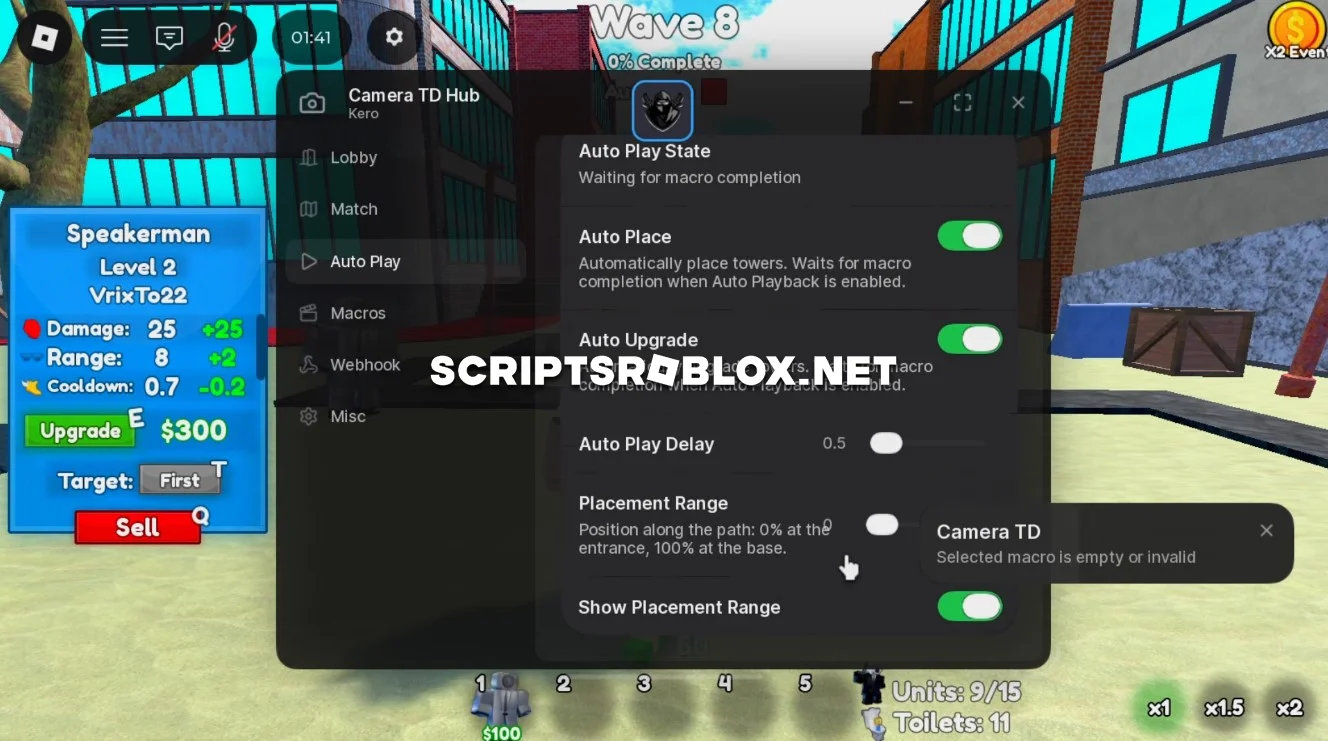
Cameraman Tower Defense is an interesting and fairly popular Roblox game in the Strategy genre, where you must defend your base from waves of enemies by placing and upgrading cameraman units. To make the gameplay easier for you, we’ve found a free script with many features that automate the match progression so you don’t have to manually perform repetitive actions. Features: Auto Play, Auto Upgrade, Auto Skip Waves, Auto Speed Scale, Macro, Webhook, Auto Claim Battle Pass, Auto Claim Premium, Auto Claim Daily Quests, Hide Name, Hide User, FPS Boost, and more. All these features are accessible through its graphical interface, which doesn’t require an activation key. For fans of Cameraman Tower Defense, this script will be a great helper.
-- Script 1 (No Key)
loadstring(game:HttpGet("https://raw.githubusercontent.com/KeroTwT/Kero-Hub/refs/heads/main/KeroHub"))()


-- Script 2 (Has Key)
loadstring(game:HttpGet("https://pastefy.app/mgigyVYs/raw"))()
Supported Executors
You can execute this script using one of the supported Roblox executors below.
How to Use This Script
- Download and install a trusted executor.
- Open Roblox and join the game.
- Launch the executor on your Mobile Phone / Emulator.
- Paste the script code into the executor.
- Press Execute and enjoy the new features.
Tip: Always use trusted executors to avoid errors or bans.
Comments 0