
Grow a Garden Script GUI: ESP Fruit, Auto Buy, FPS Boost
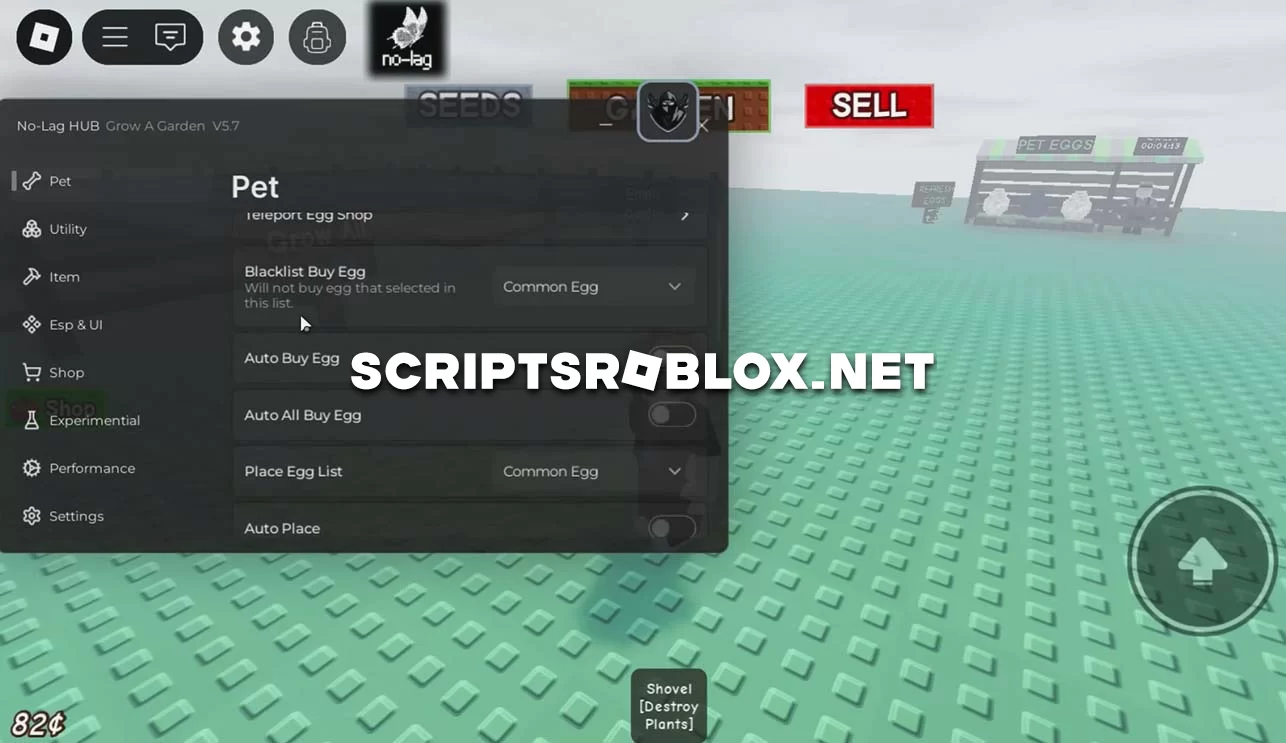
Introducing another multifunctional GUI script on Grow a Garden to improve your gameplay. The script was tested on the mobile version of the game, but it can also be used on PC. The GUI of this script is divided into sections: Esp & UI, Shop, Item, Utility, Pet, Performance and others, by selecting a section, you will be given a list of functions and activate the one you need. The script is frequently updated and you will not be blocked for using it, below on this page you can get it for free.
💻 Script Code
loadstring(game:HttpGet("https://raw.githubusercontent.com/NoLag-id/No-Lag-HUB/refs/heads/main/Garden/Garden-V1.lua"))()Supported Executors
You can execute this script using one of the supported Roblox executors below.
How to Use This Script
- Download and install a trusted executor.
- Open Roblox and join the game.
- Launch the executor on your Mobile Phone / Emulator.
- Paste the script code into the executor.
- Press Execute and enjoy the new features.
Tip: Always use trusted executors to avoid errors or bans.
Report
Comments 0