
Grow a Garden Script GUI: Auto Farm, Dupe Inventory & More
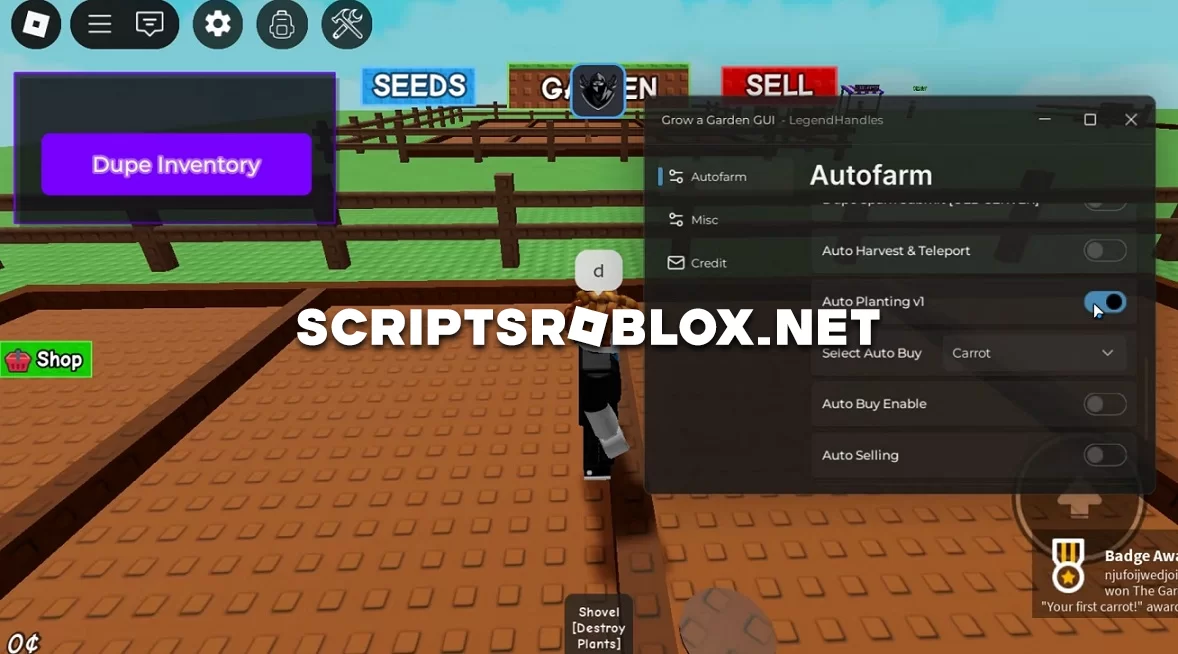
We are publishing a multifunctional script for Grow a Garden that you are looking for and often ask about. It was developed by Legend Handles and works great after the latest game update. This script has all the necessary functions: Auto Farm, Dupe Inventory, Auto Buy, Auto Quest Giver, Auto Harvest & Teleport, Auto Selling, and others. In conclusion, if you were looking for a script for Grow a Garden, we recommend stopping your search with this development. It is worth your attention and will continue to work for a long time, as the author constantly updates and improves it.
💻 Script Code
loadstring(game:HttpGet("https://scripts.city/LegendHub.lua"))()Supported Executors
You can execute this script using one of the supported Roblox executors below.
How to Use This Script
- Download and install a trusted executor.
- Open Roblox and join the game.
- Launch the executor on your Mobile Phone / Emulator.
- Paste the script code into the executor.
- Press Execute and enjoy the new features.
Tip: Always use trusted executors to avoid errors or bans.
Report
Comments 0